VMware Certification Training Course

Ratings: 4.9 - 2,378 reviews
Rated 5 out of 5

VMware Online Training at CourseJet helps learners develop practical skills in virtualisation, data centre management and enterprise infrastructure administration. The course covers essential VMware technologies, including VMware ESXi, vCenter Server and VMware vSphere, enabling learners to understand how virtual machines and virtualised environments are deployed and managed. Through 100% live online instructor-led training, participants can explore virtual machine configuration, resource allocation, virtual networking, storage management and troubleshooting techniques. The training focuses on developing technical knowledge that can be applied in professional IT environments. IT professionals, system administrators, network engineers, cloud engineers and beginners with relevant technical interests can benefit from this programme. CourseJet provides an interactive learning environment where learners can strengthen their understanding of VMware technologies and build skills relevant to modern infrastructure management.

2547+

Total Learners

30 Hrs

Course Duration

15 Hrs

Assignments Duration

100%

Job Oriented Training

24/7

Students Support

CourseJet's Training Modes

Learn from World’s top VMware Certified faculty and industry leaders

Online Batch Training

One To One Training

Customized Training

Fast Track Training

Corporate Training

Upcoming Batch Schedule

Check out our VMware online certification batch timings. Does this batch not suits your timings? No worries, we will customize and arrange the batch timings that match you perfectly to your interest.

19-11-2026

Weekdays Regular (Class 1Hr - 1:30Hrs) / Per Session. (Monday - Friday) Time: 08:00 AM (IST)
WEEK DAY

21-11-2026

Weekend Regular (Class 3Hrs) / Per Session. (Saturday - Sunday) 11:00 AM (IST)
Week End

23-11-2026

Weekdays Regular (Class 1Hr - 1:30Hrs) / Per Session. (Monday - Friday) Time: 08:00 AM (IST)
WEEK DAY

22-11-2026

Weekend Regular (Class 3Hrs) / Per Session. (Saturday - Sunday) 11:00 AM (IST)
Week END

19-11-2026

Weekdays Fast-track (Class 3Hrs - 4Hrs) / Per Session. (Monday - Friday) 10:00 AM (IST)
FAST TRACK

21-11-2026

Weekend Fast-track (Class 5Hrs - 6Hrs) / Per Session. (Saturday - Sunday) 11:00 AM (IST)
Fast Track

Can’t find a batch you were looking for?

Get Flexible Batch Timings according to your Interest 

Best VMware Certification Online Course

VMware is a widely used virtualisation technology that enables organisations to run multiple virtual machines on physical servers. It helps businesses optimise hardware resources, simplify infrastructure management and improve the flexibility of their IT environments. VMware vSphere provides a virtualisation platform comprising technologies such as ESXi hypervisors and vCenter Server. ESXi enables administrators to create and operate virtual machines, while vCenter Server supports centralised management of virtual infrastructure. VMware technologies are used in enterprise data centres, private cloud environments, application hosting and server consolidation. 

Important concepts include virtual machine provisioning, resource pools, virtual switches, datastores, snapshots, high availability and workload management. CourseJet delivers VMware training through 100% live online instructor-led sessions. Learners can develop an understanding of virtual infrastructure administration, configuration workflows and troubleshooting approaches through technical explanations and practical demonstrations. The programme supports individuals seeking to strengthen their infrastructure management skills and understand virtualisation technologies used in modern IT operations.

Benefits of Learning VMware at CourseJet

Looking for Hands-On Training?

Get Practical Assignments and Real time projects

Drop us a Query

About VMware Course

VMware is a virtualisation platform that allows organisations to operate multiple independent virtual machines on a single physical server. Each virtual machine can run its own operating system and applications while sharing the underlying hardware resources. This approach helps businesses improve infrastructure utilisation and simplify server administration. A major component of VMware virtualisation is the ESXi hypervisor. It runs directly on physical server hardware and manages resources such as CPU, memory, storage and networking for virtual machines. Administrators use vCenter Server to manage multiple ESXi hosts and virtual machines through a centralised interface.

Enterprise environments also use features such as vMotion for supported live virtual machine migrations and vSphere High Availability for restarting virtual machines following certain host failures. VMware technologies are relevant to IT infrastructure management, application hosting, development environments, disaster recovery planning and private cloud operations. Learning these concepts helps professionals understand how organisations deploy, maintain and troubleshoot virtualised infrastructure.

The VMware training programme aims to develop an understanding of virtualisation architecture and the administration of VMware environments. Learners can develop the following technical capabilities:

  • Understand virtualisation fundamentals, hypervisors and VMware architecture.
  • Learn the installation concepts and configuration of VMware ESXi.
  • Understand vCenter Server and centralised infrastructure administration.
  • Create, configure, clone and manage virtual machines.
  • Explore virtual switches, port groups and network configuration.
  • Understand datastores and virtual machine storage management.
  • Learn resource allocation, monitoring and performance concepts.
  • Understand VMware troubleshooting and virtual infrastructure maintenance.

Learning VMware can help IT professionals strengthen their knowledge of server virtualisation and enterprise infrastructure management. Organisations use virtualisation technologies to manage workloads, optimise hardware utilisation and support business applications.

Developing VMware skills can be relevant to roles such as VMware Administrator, Virtualisation Engineer, System Administrator, Infrastructure Engineer and Data Centre Engineer. Professionals can also complement their knowledge with Linux, Windows Server, networking, storage administration and cloud platforms.

Understanding ESXi, vCenter Server, virtual networking and storage management can improve your ability to work with enterprise IT environments. Practical experience and knowledge of infrastructure troubleshooting are also valuable when preparing for technical interviews and professional responsibilities.

VMware training is suitable for individuals interested in virtualisation, server administration and IT infrastructure management.

  • System Administrators: Professionals managing operating systems and server infrastructure.
  • Network Engineers: Individuals interested in virtual networking and infrastructure connectivity.
  • IT Infrastructure Engineers: Professionals responsible for enterprise infrastructure operations.
  • Cloud Engineers: Individuals looking to understand virtualisation as a foundation for cloud environments.
  • Data Centre Administrators: Professionals involved in server and resource management.
  • Technical Support Engineers: Individuals supporting virtual machines and infrastructure-related issues.
  • Windows and Linux Administrators: Professionals looking to expand their server management knowledge.
  • Fresh Graduates: Candidates with relevant computer science or IT fundamentals who want to explore virtualisation technologies.

Basic knowledge of computers, operating systems and IT infrastructure is helpful before starting VMware training. Beginners can develop an understanding of virtualisation fundamentals through the course, although familiarity with Windows or Linux administration can make technical concepts easier to follow. Basic networking knowledge, including IP addressing, DNS and network connectivity, is also recommended. Previous experience with servers, storage systems or data centre environments can be beneficial but is not essential for understanding introductory topics. Learners should have access to a suitable computer and any required software or lab environment confirmed before practical sessions.

CourseJet’s batch size and training arrangements should be confirmed before enrolment. Where the small-batch format is available, training can be conducted with 2 to 3 members only, supporting interaction between the instructor and learners. Smaller groups can provide opportunities to discuss VMware configurations, clarify doubts and understand technical concepts in greater detail. One-to-one training availability should also be confirmed with the CourseJet team based on trainer availability and the selected programme.

Launch your dream career Now!

Get personalized career coaching & mentors from industry

VMware Course Curriculum

Our VMware Course Curriculum encompasses all the course modules with a clear description and the concepts covered in each module. CourseJet designs the syllabus in the learner's perspective to provide comprehensive knowledge.

  • Introduction on VMware Vsphere
  • Features of VMware Vsphere
  • Comparsion between VMware Vsphere 5.1 and Vsphere 4.1
  • Install the vSphere Client
  • Connect to an ESXi host with the vSphere Client
  • View host hardware configuration
  • Configure DNS and routing information for an ESXi host
  • Configure an ESXi host as an NTP client
  • Configure an ESXi host to use directory services
  • Create a virtual machine
  • Install a guest operating system in a virtual machine
  • Identify a virtual machine’s disk format and usage statistics
  • Install VMware Tools on a virtual machine installed with a Windows operating system
  • Prepare your virtual machine for upcoming labs
  • Configure the VCVA for first use
  • Install vSphere license keys
  • Create a vCenter Server inventory datacenter object
  • Create vCenter Server inventory folder objects
  • Add your ESXi host to the vCenter Server inventory
  • Configure the vCenter server appliance to use directory services
  • Use the vSphere Web Client to log in to the vCenter Server Appliance
  • View the current standard virtual switch configuration
  • Create a standard virtual switch with a virtual machine port group
  • Attach your virtual machine to a virtual switch port group
  • Add a VMkernel port group to a standard virtual switch
  • Configure the iSCSI software adapter
  • Configure access to NFS datastores
  • View iSCSI and NFS storage information
  • Review your shared storage configuration
  • Change the name of a VMFS datastore
  • Create a VMFS datastore
  • Expand a VMFS datastore to consume unused space on a LUN
  • Remove a VMFS datastore
  • Extend a VMFS datastore
  • Copy Sysprep files to the vCenter Server appliance
  • Create a template
  • Create customization specifications
  • Deploy a virtual machine from a template
  • Clone a virtual machine that is powered on
  • Increase the size of a VMDK file
  • Adjust memory allocation on a virtual machine
  • Add a raw LUN to a virtual machine and verify that the guest operating system can see it
  • Rename a virtual machine in the vCenter Server inventory
  • Expand a thin-provisioned virtual disk
  • Configure vCenter Server to manage multiple ESXi hosts
  • Migrate virtual machine files with Storage vMotion
  • Create a virtual switch and a VMkernel port group for vMotion migration
  • Verify that your ESXi host meets vMotion requirements
  • Verify that your virtual machines meet vMotion requirements
  • Perform a vMotion migration of a virtual machine on a shared datastore
  • Prepare for the next lab
  • Unregister a virtual machine in the vCenter Server inventory
  • Register a virtual machine in the vCenter Server inventory
  • Unregister and delete virtual machines from disk
  • Take snapshots of a virtual machine
  • Revert to a snapshot
  • Delete an individual snapshot
  • Use the Delete All function in Snapshot Manager
  • Create a vApp
  • Power on a vApp
  • Remove a vApp
  • Try to log in directly to the ESXi host
  • Grant nonadministrator access to a user
  • Explore the ESX Admins AD group
  • Create a custom role in vCenter Server
  • Assign permissions on vCenter Server inventory objects
  • Verify permission usability
  • Create CPU contention
  • Create a resource pool named Fin-Test
  • Create a Resource Pool named Fin-Prod
  • Verify resource pool functionality
  • Create CPU activity
  • Use vCenter Server to monitor CPU utilization
  • Undo changes made to your virtual machines
  • Create a virtual machine alarm that monitors for a condition
  • Create a Virtual Machine Alarm that monitors for an event
  • Trigger virtual machine alarms and acknowledge them
  • Disable virtual machine alarms
  • Create a cluster enabled for vSphere HA
  • Add your ESXi host to a cluster
  • Test vSphere HA functionality
  • Determine vSphere HA cluster resource usage
  • Manage vSphere HA slot size
  • Configure a vSphere HA cluster with strict admission control
  • Prepare for upcoming labs
  • Prepare the virtual machine
  • Enable Fault Tolerance logging
  • Activate Fault Tolerance
  • Test Fault Tolerance
  • Disable Fault Tolerance
  • Create load imbalance
  • Create a DRS cluster
  • Verify proper DRS cluster functionality
  • Create, test, and disable an affinity rule
  • Create, test, and disable an anti-affinity rule
  • Create, test, and disable a virtual machine to host affinity rule
  • Install Update Manager
  • Install the Update Manager plug-in into the vSphere Client
  • Modify cluster settings
  • Configure Update Manager
  • Create a patch baseline
  • Attach a baseline and scan for updates
  • Stage patches onto ESXi hosts
  • Remediate the ESXi hosts

All the above concepts will be covered in Our VMware Course. You will become a master in all the concepts of VMware because our trainers will make you learn very effectively. Our main goal is to make students satisfied with the training and place them in the top companies.

Like the Course Curriculum?

Or need customized syllabus? Enroll Now & personalized it!

VMware Course Features

CourseJet offers the best VMware online training with advanced features. Our world-class features will provide zeal for the learners to enroll for top training courses.

Instructor-led Sessions

30 to 45 Hrs of VMware Online Live Instructor-Led Classes.

Expertise Faculties

Our Faculties are working VMware Professionals in MNC Companies.

Certification & Job Assistance

After Successful completion VMware course you will receive Globally Recognized CourseJet Certificate.

100% Job Oriented Training

VMware Live project based on any real time scenarios.

Lifetime Access

You get lifetime access which includes VMware class recordings and Materials.

Flexible Schedule

We will provide you Convenient Class Batches with lifetime access to our 24x7 online support team.

VMware Certification Training

Get the Globally Recognized VMware certification training from CourseJet under the guidance of VMware Experts. CourseJet teaches you all the VMware concepts with global standards.

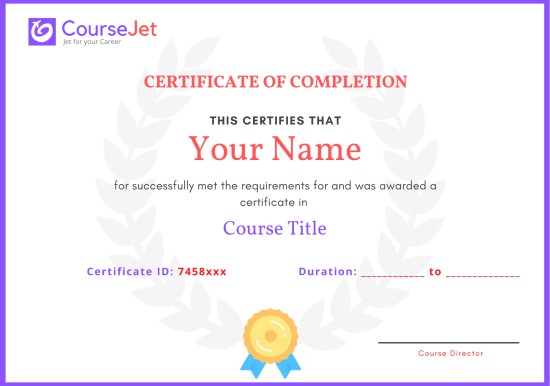
certificate

VMware certification pathways are designed to assess technical knowledge and skills related to virtualisation, infrastructure administration and VMware technologies. VMware has historically offered professional credentials covering areas such as vSphere administration, virtual infrastructure and advanced technical solutions. VMware’s certification portfolio and examination arrangements have evolved, particularly following Broadcom’s acquisition of VMware. Therefore, learners should check the current official Broadcom and VMware certification information to identify available credentials, examination requirements and applicable learning pathways.

CourseJet’s VMware training focuses on developing knowledge of ESXi, vCenter Server, vSphere administration, virtual machine management, networking and storage concepts. These topics can help learners build a technical foundation relevant to VMware-related professional development. It is important to distinguish between completing a training programme and earning an external vendor certification. A CourseJet course completion certificate, if offered and subject to its requirements, represents completion of the training programme. An official VMware or Broadcom credential requires meeting the relevant vendor’s current certification requirements.

CourseJet’s VMware training provides a structured learning approach for individuals who want to understand virtualisation and infrastructure administration. Through 100% live online instructor-led sessions, learners can explore important technical concepts and receive guidance while studying VMware technologies.

The programme covers relevant topics such as ESXi, vCenter Server, virtual machine administration, virtual networking and storage management. Understanding these components can help learners develop the technical foundation required to work with virtualised environments.

The training can also support preparation for relevant certification pathways by introducing important administration concepts and workflows. Learners should check the current official vendor requirements separately before registering for an external certification examination.

CourseJet’s course completion certificate availability and award requirements should be confirmed directly with the CourseJet team. If a completion certificate is offered, its eligibility conditions and any applicable assessment requirements should be verified before enrolment. A CourseJet training completion certificate is different from an official VMware or Broadcom certification. External vendor credentials are awarded separately by the relevant certification provider after candidates meet the applicable examination and other requirements.

A CourseJet course completion certificate represents the training completed through the training provider, subject to its certificate policy. It should not automatically be considered equivalent to an internationally recognised VMware or Broadcom professional certification. Employers may evaluate training certificates alongside technical knowledge, practical experience and demonstrated skills. Candidates seeking an external professional credential should verify its current status, eligibility and recognition directly through the official vendor certification programme. CourseJet’s training can support technical learning, but external certification recognition must be assessed separately.

Get personalized 1-1 course consultation

Career-Focused Course Material and Personal Coaching to get Job.

VMware Projects

CourseJet not only provides you with the best VMware training but also makes you work with real-world projects and case studies to help you gain practical knowledge.

  • Practical knowledge is very important to understand how things actually work. To put your all learning into action, you will be required to work on two industry-based live projects that will discuss the real-time use cases.
  • CourseJet VMware Training will help you gain in-depth knowledge of all the essential concepts of VMware through real-world examples and hands-on projects.
  • We make each and every individual work on VMware real-time projects to face challenges during the learning period so it will be very helpful to solve problems arising in organization while in the job.
  • Working with real-time projects will make more efficient and you will get more doubts. This type of working procedure will help you achieve a lot more things in your career.

Develop a professional portfolio Now!

Complete real-time projects, to showcase your skills to employers.

VMware Trainer Profile

You will learn the VMware essentials from the expert’s trainers who hold 10+ years of real-time experience in handling diversified projects.

10+ Years Experienced

Our VMware Trainers are more than 10+ Years of experience.

Working in Top MNCs

Our VMware Trainers are Working in a top MNC company around the globe.

Trained 2000+ Students

Our VMware Trainers are Trained more than 2000+ Students in VMware Courses.

Certified Professionals

Our VMware Trainers are certified VMware Professionals with Strong Practical Knowledge.

Certification Guidance

Our VMware Trainers will help you in getting International Certification if available.

Completed 700+ Batches

In CourseJet, we already finished many batches successfully with certifications.

Talk to our course Trainer now

Enroll now and get a free consultation with the trainer.

VMware Training Reviews

Our Best VMware Teaching methodology has acquired millions of students around the globe and they shared their success stories in the form of reviews.

✎ 2378
Total Reviews
✪ 4.9
Review score
✉ 99%
Course Completions

VMware Jobs & Placements

CourseJet has tie-up with small, medium, and large scale corporations across the world. We provide you with the complete placement assistance by forwarding your resume to the companies we tie-up with.

VMware knowledge can be useful for professionals pursuing careers in IT infrastructure, server administration and virtualisation management. Organisations use virtualised environments to host applications, manage server resources and support enterprise workloads, creating demand for professionals who understand virtual infrastructure.Relevant career paths include VMware Administrator, Virtualisation Engineer, System Administrator, Infrastructure Engineer, Data Centre Engineer and Cloud Infrastructure Engineer. 

Employers may also look for complementary skills in Linux, Windows Server, networking, storage technologies, scripting and cloud platforms.CourseJet’s VMware training aims to help learners develop relevant technical knowledge through live online instructor-led sessions. Availability of interview preparation, CV guidance, career mentoring and job opportunity updates should be confirmed directly with CourseJet. Developing practical skills and gaining relevant experience remain important when pursuing VMware-related career opportunities.

The availability and scope of placement assistance for VMware training should be confirmed with CourseJet before enrolment. Prospective learners can enquire about whether the programme includes interview preparation, CV guidance, career support or job opportunity information. These services, where available, may help learners understand recruitment expectations and present their technical skills more effectively. Training completion does not guarantee employment or placement, as recruitment decisions depend on individual qualifications, practical experience and employer requirements.

Learning VMware can help develop technical skills relevant to several IT infrastructure roles. Depending on your existing experience and technical knowledge, potential career options include VMware Administrator, Junior System Administrator, Virtualisation Engineer, Infrastructure Support Engineer and Data Centre Administrator.

Employers may look for knowledge of ESXi, vCenter Server, virtual machine management, networking, storage and troubleshooting. Additional skills in Linux, Windows Server, PowerShell, cloud platforms and backup technologies can improve your technical profile.

Practical experience is particularly important when applying for VMware-related positions. Working with virtual machines, understanding infrastructure configurations and developing troubleshooting skills can help you prepare for technical interviews. However, completing a training programme alone does not guarantee employment.

Salary levels for VMware professionals vary according to country, location, job title, experience and technical specialisation. VMware Administrators, Virtualisation Engineers, System Administrators and Infrastructure Engineers may receive different compensation depending on their responsibilities and the complexity of the environments they manage.

Professionals with experience in vSphere administration, ESXi, vCenter Server, enterprise networking, storage management and troubleshooting may qualify for different opportunities from entry-level candidates. Additional expertise in cloud infrastructure, automation, disaster recovery and data centre operations can also influence earning potential.

In India, compensation should be evaluated using current salary information for the specific role, city and experience level. CourseJet does not guarantee a particular salary after training. Learners should focus on developing practical skills, gaining relevant experience and building a strong technical profile to improve their career prospects.

Get your dream job in a month

Join the program to meet the Industries recruitment process

FAQ of VMware Training

CourseJet FAQs are designed to clear most of your doubts and also help you build power in yourself to get clarified with the rest of doubts related to that course.

Yes, We offering group discounts when you join as more than three people 10% to 30% Price discount will be provided. We also have a referral discount for those who have already enrolled in our training. Terms and conditions apply.

Yes, we will share sample recordings of this course which was recorded during the live class. It will give you a good idea about the classes and the training sessions. 

You need not worry if you miss a class because CourseJet provides live recordings of the sessions so that you can go through them just before you attend the next session. If it is one to one training classes then will be rescheduled at your convenience. 

CourseJet is the Best Online Training platform, it provides high-class services for the learners. CourseJet provides Job Assistance for the learners and also helps them in getting placed in top MNCs around the world. CourseJet offers 24/7 support, best course material, and videos.

The different modes of training offered by CourseJet are as follows:

  • Instructor-led training
  • Corporate training
  • Self-paced training

Upon successful completion of this training, you will receive Course Completion Certification from CourseJet. It is a Globally Recognized Certification in top MNCs across the world. CourseJet certification is also recommended by top experts.

Yes, CourseJet provides 100% job assistance for the learners to help them get placed in top MNCs. Our trainers will help to create perfect resumes, will share the top interview questions, tutorials and necessary software installation guides.

CourseJet Job assistance program will train you to achieve your dream job by referring your resume to tied up companies and also assisting with preparing your resumes and providing important interview questions. We will help you in the all dimension between you and recruiters companies and the final selection decisions is always depends on the recruiter by the candidate’s performance in the interview. 

Yes, it is possible by paying some extra charges and can continue learning the course from the next batch.

The system requirements required to attend this training are:

  • An operating system such as Mac OS, Windows, Linux.
  • 4 GB RAM
  • Dual-core CPU

We are Experts in corporate training by Upgrading your team member’s skills. So, please get in touch with our team through fillup the corporate training Form or contact us via our Mail Id or Phone. 

Payments can be made using any of the following options like Debit Card / Credit Card, American Express, Master Card, or PayPal and a receipt of the same will be issued to you automatically via email. 

Looking for Group Discounts?

Enroll now and get a group discounts upto 30%

Related Courses

CourseJet provides training for a large number of courses. We have more than 250+ courses on our website and also provide assistance for the participants in suggesting the best training course.

© 2026 Digivigor Pvt. Ltd. All rights Reserved. The certification names are the trademarks of their respective owners. All trademarks are properties of their respective owners. View Our Disclaimer for more details. 

🚀Fill Up & Get Free Quote