MS Office Certification Training Course

Ratings: 4.9 - 2,614 reviews
Rated 5 out of 5

MS Office Online Training at CourseJet helps learners develop essential productivity and office administration skills using Microsoft Office applications. The course introduces Microsoft Word, Excel, PowerPoint and Outlook, focusing on document preparation, spreadsheet management, presentations and professional communication. Learners explore Word formatting, Excel formulas and functions, data analysis, PowerPoint slide design and Outlook email management. Depending on the syllabus, related Microsoft 365 collaboration features may also be introduced. CourseJet provides 100% live online instructor-led training, allowing learners to clarify application features, discuss workplace scenarios and develop practical software skills. The programme is suitable for students, fresh graduates, administrative professionals, accountants, business analysts and employees who want to improve their everyday computer proficiency. Learning Microsoft Office can help individuals organise information, communicate effectively, analyse business data and perform routine office tasks with greater accuracy and efficiency.

2841+

Total Learners

30 Hrs

Course Duration

15 Hrs

Assignments Duration

100%

Job Oriented Training

24/7

Students Support

CourseJet's Training Modes

Learn from World’s top Microsoft Office Certified faculty and industry leaders

Online Batch Training

One To One Training

Customized Training

Fast Track Training

Corporate Training

Upcoming Batch Schedule

Check out our Microsoft Office online certification batch timings. Does this batch not suits your timings? No worries, we will customize and arrange the batch timings that match you perfectly to your interest.

19-11-2026

Weekdays Regular (Class 1Hr - 1:30Hrs) / Per Session. (Monday - Friday) Time: 08:00 AM (IST)
WEEK DAY

21-11-2026

Weekend Regular (Class 3Hrs) / Per Session. (Saturday - Sunday) 11:00 AM (IST)
Week End

23-11-2026

Weekdays Regular (Class 1Hr - 1:30Hrs) / Per Session. (Monday - Friday) Time: 08:00 AM (IST)
WEEK DAY

22-11-2026

Weekend Regular (Class 3Hrs) / Per Session. (Saturday - Sunday) 11:00 AM (IST)
Week END

19-11-2026

Weekdays Fast-track (Class 3Hrs - 4Hrs) / Per Session. (Monday - Friday) 10:00 AM (IST)
FAST TRACK

21-11-2026

Weekend Fast-track (Class 5Hrs - 6Hrs) / Per Session. (Saturday - Sunday) 11:00 AM (IST)
Fast Track

Can’t find a batch you were looking for?

Get Flexible Batch Timings according to your Interest 

Best MS Office Certification Online Course

MS Office Online Training focuses on Microsoft productivity applications commonly used in education, business administration, finance, human resources and corporate operations. These applications help users create documents, organise data, prepare presentations and manage professional communication. Microsoft Word provides tools for document formatting, tables, page layouts, styles, templates and reviewing. Microsoft Excel supports calculations, data organisation, formulas, functions, charts, PivotTables and spreadsheet-based reporting. PowerPoint helps users communicate information through structured presentations, while Outlook supports email, calendars, contacts and meeting management. The course introduces important features such as Excel conditional formatting, data validation, lookup functions, Word mail merge, PowerPoint transitions and Outlook calendar scheduling.

Learners can understand how these features support common workplace responsibilities. Microsoft Office applications are used across industries, including banking, healthcare, education, retail, manufacturing and professional services. Proficiency in these tools is useful for preparing reports, maintaining records, analysing information and communicating business updates. CourseJet’s live online instructor-led training helps learners understand application functions and their professional uses. The programme supports the development of computer literacy, office productivity and business reporting skills.

Benefits of Learning Microsoft Office at CourseJet

Looking for Hands-On Training?

Get Practical Assignments and Real time projects

Drop us a Query

About MS Office Course

Microsoft Office is a collection of productivity applications designed to support document creation, spreadsheet analysis, presentations and workplace communication. Its applications are widely used by individuals and organisations to manage information, improve collaboration and complete administrative tasks. Microsoft Word provides tools for creating structured documents using styles, headings, tables, references and page layouts. Features such as Track Changes, comments and mail merge support document review and personalised correspondence. Word is commonly used for business reports, letters, proposals and academic documents. Microsoft Excel is a spreadsheet application that organises information into worksheets containing rows, columns and cells. Users can perform calculations using functions such as SUM, IF, COUNTIF, SUMIFS and XLOOKUP, where supported.

Excel also provides sorting, filtering, PivotTables, charts and data validation for analysing and presenting information. Microsoft PowerPoint enables users to create presentations using slides, themes, layouts, images, charts and SmartArt graphics. Outlook supports professional communication through email, calendar scheduling, contacts and meeting invitations. Application capabilities vary between desktop, web and subscription versions. Microsoft Office skills are useful in finance, administration, human resources, sales, education and business operations. Learners who understand how to select and combine these applications can manage records, analyse data, prepare reports and communicate information more effectively.

The primary objective of MS Office training is to help learners develop practical knowledge of Microsoft productivity applications and use them effectively in academic, administrative and professional environments.

The main learning objectives include:

  • Understand Microsoft Office Fundamentals: Learn the purpose, interface and essential functions of Word, Excel, PowerPoint and Outlook.

  • Develop Word Document Skills: Create and format documents using styles, tables, page layouts, headers, footers and templates.

  • Learn Excel Formulas and Functions: Understand calculations, cell references, logical functions, lookup functions and spreadsheet organisation.

  • Explore Excel Data Analysis: Learn about sorting, filtering, conditional formatting, PivotTables and charts.

  • Create PowerPoint Presentations: Understand slide design, themes, layouts, transitions and presentation techniques.

  • Manage Outlook Communication: Explore email organisation, calendar scheduling, contacts and meeting invitations.

  • Improve Office Productivity: Learn keyboard shortcuts, reusable templates and efficient document management practices.

  • Understand Workplace Applications: Explore how Microsoft Office supports reporting, record management, communication and everyday business operations.

Learning Microsoft Office can improve your ability to perform administrative, analytical and communication-related tasks across different industries.

Microsoft Word skills are useful for preparing reports, letters and business documents, while Excel knowledge supports spreadsheet calculations, data organisation and reporting.

PowerPoint proficiency helps professionals prepare presentations for meetings, training sessions and business discussions. Outlook skills support professional correspondence and scheduling.

These capabilities are relevant to roles such as Administrative Assistant, Office Executive, Data Entry Operator, Accounts Assistant, HR Assistant and Operations Coordinator.

Advanced Excel knowledge can also complement careers in finance, reporting and business analysis.

Microsoft Office proficiency is often considered a foundational workplace skill rather than a standalone professional specialisation.

Career progression depends on practical competence, industry knowledge, communication abilities and relevant professional experience.

MS Office training is suitable for individuals who want to improve their computer proficiency, office productivity and professional communication skills.

  • Students: Learners preparing assignments, presentations and academic documents.

  • Fresh Graduates: Individuals developing computer skills for entry-level employment.

  • Office Administrators: Professionals managing documents, records, correspondence and schedules.

  • Accounts Assistants: Individuals using Excel for calculations, financial records and reporting.

  • Human Resources Professionals: Employees preparing reports, employee records and business communications.

  • Sales Executives: Professionals managing customer information, sales reports and presentations.

  • Business Analysts: Individuals seeking stronger spreadsheet and presentation skills.

  • Teachers and Trainers: Professionals preparing learning materials, documents and presentations.

  • Entrepreneurs: Business owners managing everyday administrative and reporting activities.

  • Working Professionals: Employees seeking to improve productivity across Microsoft Office applications.

MS Office training is suitable for beginners and individuals with basic computer knowledge.

Previous professional experience is not generally required to begin learning Microsoft Word, Excel, PowerPoint or Outlook.

However, familiarity with using a computer, keyboard, mouse, files and folders can make the learning process easier.

Learners interested in advanced Excel topics may benefit from basic mathematical knowledge and an understanding of spreadsheet concepts.

A computer with access to the relevant Microsoft Office applications is useful for practising application features.

CourseJet-specific requirements: Confirm the Microsoft Office version, software licensing arrangements, supported operating systems and any required technical preparation before enrolment.

CourseJet follows a small-batch learning approach, with typically two to three learners per batch.

This format allows participants to interact directly with the instructor during live online sessions.

Learners can ask questions about Word formatting, Excel formulas, PowerPoint presentations and Outlook features.

Smaller batches can make it easier to discuss individual learning difficulties and clarify application-specific concepts.

One-to-one MS Office training may also be arranged, subject to trainer availability and scheduling confirmation.

Prospective learners should contact CourseJet to confirm training duration, batch timings, application coverage and individual learning arrangements.

Launch your dream career Now!

Get personalized career coaching & mentors from industry

MS Office Course Curriculum

Our Microsoft Office Course Curriculum encompasses all the course modules with a clear description and the concepts covered in each module. CourseJet designs the syllabus in the learner's perspective to provide comprehensive knowledge.

Topics Covered in this module are:

  • Information Technology
  • Computer Fundamental
  • Introduction To Windows 8

Microsoft Word

  • Screen Layout
  • Moving In The Text
  • Selecting Text
  • File Management
  • Formatting Text
  • Formatting Paragraphs
  • Styles
  • Adding Tables
  • Graphics
  • Page Formatting
  • Footnotes

Microsoft Excel

  • Excel Environment
  • Data Formatting
  • Data Management
  • Formula And Functions
  • Data Tools
  • Data Protection
  • Data Handling
  • Data Printing

Microsoft Powerpoint

  • Create A Presentation
  • Format A Presentation
  • Using Slide Masters
  • Customize Presentation
  • Insert And Format Slides
  • Insert And Format Shapes
  • Create Slide Content
  • Apply Transitions And Animation
  • Manage Multiple Presentations

All the above concepts will be covered in Our Microsoft Office Course. You will become a master in all the concepts of Microsoft Office because our trainers will make you learn very effectively. Our main goal is to make students satisfied with the training and place them in the top companies.

Like the Course Curriculum?

Or need customized syllabus? Enroll Now & personalized it!

MS Office Course Features

CourseJet offers the best Microsoft Office online training with advanced features. Our world-class features will provide zeal for the learners to enroll for top training courses.

Instructor-led Sessions

30 to 45 Hrs of Microsoft Office Online Live Instructor-Led Classes.

Expertise Faculties

Our Faculties are working Microsoft Office Professionals in MNC Companies.

Certification & Job Assistance

After Successful completion Microsoft Office course you will receive Globally Recognized CourseJet Certificate.

100% Job Oriented Training

Microsoft Office Live project based on any real time scenarios.

Lifetime Access

You get lifetime access which includes Microsoft Office class recordings and Materials.

Flexible Schedule

We will provide you Convenient Class Batches with lifetime access to our 24x7 online support team.

MS Office Certification Training

Get the Globally Recognized Microsoft Office certification training from CourseJet under the guidance of Microsoft Office Experts. CourseJet teaches you all the Microsoft Office concepts with global standards.

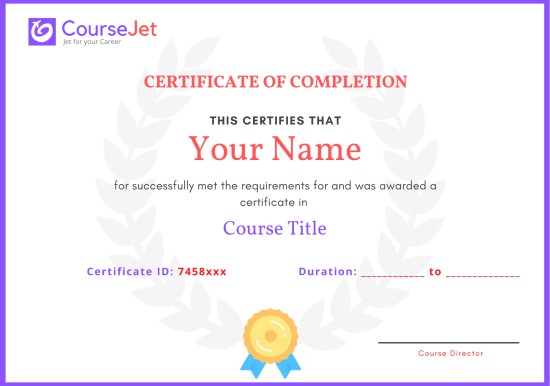
certificate

Microsoft Office certification can help learners demonstrate proficiency in Microsoft productivity applications through recognised assessment pathways. One established certification programme is Microsoft Office Specialist (MOS), which provides application-specific credentials for Microsoft Office products. Relevant certification pathways include Microsoft Office Specialist examinations for Word, Excel and PowerPoint. Depending on the examination version, candidates may pursue Associate-level or Expert-level credentials. MOS examinations assess practical application knowledge, including document formatting, spreadsheet management, formulas, charts, presentation development and other features relevant to the selected application. Certification availability and examination objectives depend on the Microsoft Office version and the credential being pursued.

CourseJet’s MS Office training introduces application concepts that may support preparation for relevant MOS examinations. However, learners should confirm that the training syllabus covers the objectives of their chosen certification. CourseJet completion certificate: Confirm availability and completion requirements.Official examination arrangements: Confirm whether examination preparation, registration assistance or examination fees are included. A CourseJet training completion certificate is separate from an official Microsoft Office Specialist credential. Official MOS certification requires candidates to satisfy the examination requirements established by the certification programme.

CourseJet’s MS Office training provides structured instruction in Microsoft Word, Excel, PowerPoint and Outlook through 100% live online instructor-led sessions.

The programme helps learners understand essential productivity features and their applications in professional environments.

Participants can develop knowledge of document formatting, spreadsheet calculations, data analysis, presentation design and email management.

Instructor-led explanations can help clarify application commands, formulas, formatting options and common workplace workflows.

The training is relevant to students, graduates, administrative professionals and employees seeking to improve their Microsoft Office proficiency.

It can also support foundational preparation for applicable Microsoft Office Specialist certification examinations.

Candidates interested in official certification should confirm that the selected training covers the relevant application, examination version and assessment objectives.

CourseJet’s MS Office training completion arrangements should be distinguished from the official Microsoft Office Specialist certification process.

CourseJet certificate: Confirm whether a training completion certificate is provided.

Completion requirements: Confirm attendance requirements, assessments and other applicable conditions.

Where CourseJet provides a completion certificate, it documents training participation or completion according to the institute’s policies.

Official Microsoft Office Specialist credentials are awarded through the applicable certification programme after candidates successfully complete the required examinations.

Completing CourseJet’s training does not automatically award Microsoft certification.

Learners should confirm certificate availability, examination registration procedures and any additional fees before enrolling.

Recognition depends on the organisation issuing the certificate and the requirements used to obtain it.

Microsoft Office Specialist credentials are established professional certifications designed to validate application-specific Microsoft Office skills.

A CourseJet completion certificate, if available, serves a different purpose by documenting participation in or completion of training.

Employers may evaluate candidates based on their practical Word, Excel, PowerPoint and Outlook skills, professional experience and relevant certifications.

Official MOS credentials can provide independently assessed evidence of application proficiency, although their value depends on employer requirements.

CourseJet external accreditation or global certificate recognition: [Requires confirmation.]

Learners should verify the issuing organisation and assessment requirements before relying on claims about international certification recognition.

Get personalized 1-1 course consultation

Career-Focused Course Material and Personal Coaching to get Job.

MS Office Projects

CourseJet not only provides you with the best Microsoft Office training but also makes you work with real-world projects and case studies to help you gain practical knowledge.

  • Practical knowledge is very important to understand how things actually work. To put your all learning into action, you will be required to work on two industry-based live projects that will discuss the real-time use cases.
  • CourseJet Microsoft Office Training will help you gain in-depth knowledge of all the essential concepts of Microsoft Office through real-world examples and hands-on projects.
  • We make each and every individual work on Microsoft Office real-time projects to face challenges during the learning period so it will be very helpful to solve problems arising in organization while in the job.
  • Working with real-time projects will make more efficient and you will get more doubts. This type of working procedure will help you achieve a lot more things in your career.

Develop a professional portfolio Now!

Complete real-time projects, to showcase your skills to employers.

MS Office Trainer Profile

You will learn the Microsoft Office essentials from the expert’s trainers who hold 10+ years of real-time experience in handling diversified projects.

10+ Years Experienced

Our Microsoft Office Trainers are more than 10+ Years of experience.

Working in Top MNCs

Our Microsoft Office Trainers are Working in a top MNC company around the globe.

Trained 2000+ Students

Our Microsoft Office Trainers are Trained more than 2000+ Students in Microsoft Office Courses.

Certified Professionals

Our Microsoft Office Trainers are certified Microsoft Office Professionals with Strong Practical Knowledge.

Certification Guidance

Our Microsoft Office Trainers will help you in getting International Certification if available.

Completed 700+ Batches

In CourseJet, we already finished many batches successfully with certifications.

Talk to our course Trainer now

Enroll now and get a free consultation with the trainer.

MS Office Training Reviews

Our Best Microsoft Office Teaching methodology has acquired millions of students around the globe and they shared their success stories in the form of reviews.

✎ 2614
Total Reviews
✪ 4.9
Review score
✉ 99%
Course Completions

MS Office Jobs & Placements

CourseJet has tie-up with small, medium, and large scale corporations across the world. We provide you with the complete placement assistance by forwarding your resume to the companies we tie-up with.

icrosoft Office skills are relevant to administrative, financial, operational and communication-related responsibilities across many industries.

Professionals who understand Word, Excel, PowerPoint and Outlook can contribute to document preparation, spreadsheet reporting, presentations, correspondence and office coordination.

Potential career paths include Administrative Assistant, Office Executive, Data Entry Operator, Accounts Assistant, HR Assistant and Operations Coordinator.

Employers may seek candidates who can prepare accurate spreadsheets, organise business records, create professional documents and communicate effectively.

CourseJet’s MS Office training helps learners develop knowledge of commonly used productivity applications and their workplace functions.

Career preparation also involves improving typing accuracy, data organisation, business communication and attention to detail.

Professionals with advanced Excel skills may pursue responsibilities involving reporting, financial analysis or operational data management when supported by additional experience and domain knowledge.

Placement assistance: CourseJet to confirm whether CV guidance, interview preparation, career mentoring and job opportunity updates are available.

Microsoft Office proficiency supports employability, but training alone does not guarantee employment.

Placement assistance for CourseJet’s MS Office programme should be confirmed directly with the admissions team before enrolment.

Available support: [CourseJet to confirm whether interview preparation, CV guidance, career counselling and job opportunity updates are included.]

Learners preparing for office administration and support roles should develop proficiency in document formatting, spreadsheet calculations, presentation creation and email management.

Recruitment assessments may involve Excel formulas, Word formatting, data entry accuracy and general computer proficiency.

Candidates can strengthen their preparation by practising realistic office tasks and developing professional communication skills.

Any placement assistance offered should be considered career support rather than guaranteed employment.

Learning Microsoft Office can help you prepare for entry-level and experienced roles involving administration, documentation, reporting and business communication.

Potential positions include Office Assistant, Administrative Executive, Data Entry Operator, Accounts Assistant, HR Assistant and Operations Support Executive.

Entry-level opportunities may involve maintaining spreadsheets, preparing documents, organising records and supporting everyday office activities.

Experienced professionals can use advanced Office skills to improve reporting, financial analysis and departmental coordination.

Employers may value Excel proficiency, document accuracy, presentation skills, communication abilities and efficient use of office applications.

Additional knowledge of accounting software, business processes, data analysis or industry-specific applications can strengthen a candidate’s professional profile.

Practical proficiency is important because employers may assess Microsoft Office skills through application-based tests.

Completing training alone does not guarantee employment; recruitment outcomes depend on experience, competence and available opportunities.

Salaries for professionals using Microsoft Office vary according to country, city, employer, industry, experience and job responsibilities.

Relevant positions include Office Administrator, Data Entry Operator, Accounts Assistant, Administrative Executive and Reporting Analyst.

Entry-level administrative employees may receive different compensation from experienced professionals handling financial reports, advanced spreadsheets or business analysis.

Microsoft Office proficiency is often a foundational requirement across numerous job roles rather than a qualification associated with one specific salary range.

Advanced Excel skills, particularly in data analysis, reporting and spreadsheet automation, may improve earning potential when combined with relevant professional experience.

Additional expertise in accounting, finance, human resources, business analysis or project coordination can also influence compensation.

There is no single reliable worldwide average salary for Microsoft Office-certified professionals.

Learners should consult current salary information for their target location, job title and experience level through reputable recruitment platforms and salary research services.

Get your dream job in a month

Join the program to meet the Industries recruitment process

FAQ of MS Office Training

CourseJet FAQs are designed to clear most of your doubts and also help you build power in yourself to get clarified with the rest of doubts related to that course.

Yes, We offering group discounts when you join as more than three people 10% to 30% Price discount will be provided. We also have a referral discount for those who have already enrolled in our training. Terms and conditions apply.

Yes, we will share sample recordings of this course which was recorded during the live class. It will give you a good idea about the classes and the training sessions. 

You need not worry if you miss a class because CourseJet provides live recordings of the sessions so that you can go through them just before you attend the next session. If it is one to one training classes then will be rescheduled at your convenience. 

CourseJet is the Best Online Training platform, it provides high-class services for the learners. CourseJet provides Job Assistance for the learners and also helps them in getting placed in top MNCs around the world. CourseJet offers 24/7 support, best course material, and videos.

The different modes of training offered by CourseJet are as follows:

  • Instructor-led training
  • Corporate training
  • Self-paced training

Upon successful completion of this training, you will receive Course Completion Certification from CourseJet. It is a Globally Recognized Certification in top MNCs across the world. CourseJet certification is also recommended by top experts.

Yes, CourseJet provides 100% job assistance for the learners to help them get placed in top MNCs. Our trainers will help to create perfect resumes, will share the top interview questions, tutorials and necessary software installation guides.

CourseJet Job assistance program will train you to achieve your dream job by referring your resume to tied up companies and also assisting with preparing your resumes and providing important interview questions. We will help you in the all dimension between you and recruiters companies and the final selection decisions is always depends on the recruiter by the candidate’s performance in the interview. 

Yes, it is possible by paying some extra charges and can continue learning the course from the next batch.

The system requirements required to attend this training are:

  • An operating system such as Mac OS, Windows, Linux.
  • 4 GB RAM
  • Dual-core CPU

We are Experts in corporate training by Upgrading your team member’s skills. So, please get in touch with our team through fillup the corporate training Form or contact us via our Mail Id or Phone. 

Payments can be made using any of the following options like Debit Card / Credit Card, American Express, Master Card, or PayPal and a receipt of the same will be issued to you automatically via email. 

Looking for Group Discounts?

Enroll now and get a group discounts upto 30%

Related Courses

CourseJet provides training for a large number of courses. We have more than 250+ courses on our website and also provide assistance for the participants in suggesting the best training course.

© 2026 Digivigor Pvt. Ltd. All rights Reserved. The certification names are the trademarks of their respective owners. All trademarks are properties of their respective owners. View Our Disclaimer for more details. 

🚀Fill Up & Get Free Quote