SharePoint Developer Certification Training

Ratings: 4.9 - 2,234 reviews
Rated 5 out of 5

CourseJet's SharePoint Developer Online training helps learners develop the technical skills required to customise, extend and integrate Microsoft SharePoint solutions through 100% live online instructor-led sessions. The training introduces SharePoint Online development, SharePoint Framework (SPFx), TypeScript, React, REST APIs and Microsoft Graph. Learners explore how to build custom web parts, work with SharePoint lists and libraries, develop responsive interfaces and integrate Microsoft 365 services. The course focuses on understanding modern SharePoint development architecture, client-side programming, authentication and application deployment. With guidance from a live instructor, learners can understand development workflows, clarify programming concepts and explore common enterprise application scenarios. This training is suitable for software developers, SharePoint professionals, Microsoft 365 consultants and IT professionals interested in collaboration platform development. CourseJet's interactive online approach supports technical learning and professional development without requiring attendance at a physical classroom.

2479+

Total Learners

30 Hrs

Course Duration

15 Hrs

Assignments Duration

100%

Job Oriented Training

24/7

Students Support

CourseJet's Training Modes

Learn from World’s top SharePoint Developer Certified faculty and industry leaders

Online Batch Training

One To One Training

Customized Training

Fast Track Training

Corporate Training

Upcoming Batch Schedule

Check out our SharePoint Developer online certification batch timings. Does this batch not suits your timings? No worries, we will customize and arrange the batch timings that match you perfectly to your interest.

19-11-2026

Weekdays Regular (Class 1Hr - 1:30Hrs) / Per Session. (Monday - Friday) Time: 08:00 AM (IST)
WEEK DAY

21-11-2026

Weekend Regular (Class 3Hrs) / Per Session. (Saturday - Sunday) 11:00 AM (IST)
Week End

23-11-2026

Weekdays Regular (Class 1Hr - 1:30Hrs) / Per Session. (Monday - Friday) Time: 08:00 AM (IST)
WEEK DAY

22-11-2026

Weekend Regular (Class 3Hrs) / Per Session. (Saturday - Sunday) 11:00 AM (IST)
Week END

19-11-2026

Weekdays Fast-track (Class 3Hrs - 4Hrs) / Per Session. (Monday - Friday) 10:00 AM (IST)
FAST TRACK

21-11-2026

Weekend Fast-track (Class 5Hrs - 6Hrs) / Per Session. (Saturday - Sunday) 11:00 AM (IST)
Fast Track

Can’t find a batch you were looking for?

Get Flexible Batch Timings according to your Interest 

Best SharePoint Developer Certification Online Course

SharePoint Developer Certification Training Online introduces learners to the technologies used to build customised business solutions on Microsoft SharePoint and Microsoft 365. SharePoint provides document management, content organisation and collaboration capabilities, while development tools allow organisations to extend these features according to business requirements. Modern SharePoint development primarily uses SharePoint Framework (SPFx), a client-side development model for creating custom web parts and extensions. Developers commonly use TypeScript, JavaScript, React, Node.js development tooling and Microsoft 365 APIs to create interactive solutions.

The training explores SharePoint lists, document libraries, site architecture, REST API integration, Microsoft Graph and application permissions. Learners develop an understanding of how custom components interact with SharePoint data and Microsoft 365 services. SharePoint development supports business applications such as employee portals, departmental dashboards, document management interfaces, approval solutions and enterprise intranet customisation. These solutions are used across financial services, healthcare, education, manufacturing and other industries.

CourseJet delivers live online instructor-led training that helps learners understand SharePoint development principles, coding workflows and integration techniques. Developing these skills can support professional growth in Microsoft 365 development, enterprise application engineering and collaboration solution implementation.

Benefits of Learning SharePoint Developer at CourseJet

Looking for Hands-On Training?

Get Practical Assignments and Real time projects

Drop us a Query

About SharePoint Developer Course

SharePoint development involves creating and extending applications that use Microsoft SharePoint as a collaboration, content management and information-sharing platform. Modern SharePoint Online development typically relies on supported client-side extensibility models rather than direct modification of the underlying server infrastructure. SharePoint Framework is a key technology for developing custom web parts and extensions. SPFx projects use modern JavaScript development tools and can incorporate frameworks such as React.

Developers work with TypeScript, package dependencies, component lifecycle methods and supported SharePoint APIs to create reusable functionality. SharePoint lists and document libraries provide structured storage for business information and files. Developers can retrieve and modify supported data through SharePoint REST APIs and Microsoft Graph. API requests require appropriate authentication and authorisation, while application design must account for permissions, throttling and error handling. A typical SharePoint development workflow involves gathering requirements, designing the user interface, creating an SPFx project, implementing components, integrating APIs and testing functionality.

Deployment commonly involves packaging the solution and making it available through an organisational app catalogue, subject to administrative approval and deployment settings. SharePoint development is used to create employee intranets, document search interfaces, reporting components and departmental business applications. CourseJet’s SharePoint Developer Course Online helps learners understand these technologies and the processes involved in designing, implementing and maintaining customised Microsoft 365 collaboration solutions.

The main objective of SharePoint Developer Online Training is to develop the programming and integration knowledge required to create customised SharePoint solutions. The training introduces modern SharePoint architecture, client-side development, API integration and application deployment concepts.

Key learning objectives include:

  • Understand SharePoint development architecture: Learn about SharePoint Online, site collections, lists, libraries and supported customisation models.
  • Develop SharePoint Framework solutions: Understand SPFx project creation, configuration, web parts, extensions and solution packaging.
  • Use TypeScript and JavaScript: Explore programming concepts, asynchronous operations, modules and typed application development.
  • Build interfaces with React: Understand reusable components, props, state, event handling and rendering data within SharePoint web parts.
  • Integrate SharePoint REST APIs: Learn how to retrieve, create, update and manage supported SharePoint data through API requests.
  • Explore Microsoft Graph: Understand Microsoft 365 API integration, authentication and permission requirements.
  • Implement secure development practices: Learn about access permissions, input validation, API authorisation and secure handling of application data.
  • Understand testing and deployment: Explore debugging, solution packaging, app catalogue deployment and maintenance considerations.

These objectives help learners establish a foundation for developing SharePoint applications and extending Microsoft 365 collaboration environments.

Learning SharePoint development can support professional growth by combining web application programming with enterprise collaboration technologies. SharePoint development skills are relevant to roles such as SharePoint Developer, Microsoft 365 Developer, SPFx Developer, Collaboration Solutions Developer and SharePoint Technical Consultant. The experience and technical knowledge required depend on the position. Employers may value expertise in SharePoint Framework, TypeScript, React, REST APIs, Microsoft Graph and Microsoft 365 integration. Knowledge of application security, deployment procedures and source control can also be important.

SharePoint development complements existing experience in JavaScript, frontend engineering, Microsoft 365 administration and enterprise application development. Professionals may extend their expertise towards Microsoft Teams application development, Power Platform integration or broader Microsoft 365 solutions engineering. Career progression depends on demonstrable programming skills, project experience, problem-solving abilities and employer requirements rather than training completion alone.

SharePoint development training is suitable for learners interested in building applications and custom solutions within Microsoft SharePoint and Microsoft 365 environments.

  • Aspiring SharePoint developers: Build foundational knowledge of SharePoint extensibility and application development.
  • JavaScript developers: Apply existing JavaScript skills to SharePoint Framework and Microsoft 365 solutions.
  • React developers: Explore component-based development within SharePoint web parts.
  • SharePoint administrators: Understand development concepts that complement SharePoint configuration and administration.
  • Microsoft 365 developers: Extend their knowledge of SharePoint customisation and service integration.
  • Frontend developers: Learn to build user interfaces for enterprise collaboration platforms.
  • Software engineers: Explore SharePoint APIs, application architecture and Microsoft 365 integration.
  • Technical consultants: Develop knowledge relevant to implementing customised SharePoint business solutions.
  • Power Platform developers: Understand how custom SharePoint components can complement low-code business applications.
  • IT graduates: Establish an understanding of SharePoint development before pursuing specialised technical opportunities.

Learners can begin with introductory SharePoint development concepts, but basic programming knowledge is strongly recommended. Familiarity with HTML, CSS and JavaScript helps learners understand SharePoint Framework development. Knowledge of TypeScript, React, REST APIs and JSON is beneficial for working with modern SharePoint applications. Previous experience using SharePoint Online or Microsoft 365 can make it easier to understand site structures, lists, libraries and permissions.

However, extensive SharePoint administration experience is not necessarily required. Development activities may require a compatible computer, supported Node.js tooling, a code editor and access to a suitable SharePoint Online development environment. Learners should confirm the required software versions, Microsoft 365 access and development environment arrangements with CourseJet before enrolment.

CourseJet provides SharePoint Developer Online Training in small batches of 2 to 3 learners, allowing focused interaction during live instructor-led sessions. Smaller batches support technical discussions involving SharePoint Framework, TypeScript, React, API integration and development troubleshooting. Learners can ask questions about programming concepts, clarify implementation approaches and discuss coding challenges directly with the instructor.

CourseJet also offers one-to-one instructor-led training for learners who prefer personalised attention and individual technical guidance. Prospective learners can contact CourseJet to confirm available batches, one-to-one training arrangements and suitable schedules, subject to trainer availability.

Launch your dream career Now!

Get personalized career coaching & mentors from industry

SharePoint Developer Course Curriculum

Our SharePoint Developer Course Curriculum encompasses all the course modules with a clear description and the concepts covered in each module. CourseJet designs the syllabus in the learner's perspective to provide comprehensive knowledge.

  • Understand hybrid search
  • Hybrid business data connectivity
  • Hybrid taxonomy
  • Comparing on-Premises SharePoint with SharePoint Online
  • User identity in Office 365 and SharePoint Online
  • Managing user domains
  • Building Hybrid scenarios
  • OneDrive and Sites redirection
  • Yammer redirection
  • Managing Office 365 and SharePoint Online with PowerShell
  • Accessing security and compliancy
  • Accessing SharePoint management tools
  • Configure Reporting
  • Introduction to the Office 365 Administration Center

Introducing Apps for SharePoint

  • Developing Apps for SharePoint
  • Overview of Apps for SharePoint

Managing Custom Components and Site Lifecycles

  • Managing SharePoint Sites
  • Component Overview
  • Defining Custom Lists
  • Defining Custom Sites

Managing Identity and Permissions

  • Managing Permissions in SharePoint 2013
  • Configuring Forms-Based Authentication
  • Customizing the Authentication Experience
  • Understanding Identity Management in SharePoint 2013

Designing and Managing Features and Solutions

  • Working with Features
  • Deploying Solutions
  • Working with Sandboxed Solutions

Working with Server-Side Code

  • Developing Web Parts
  • Using Event Receivers
  • Using Timer Jobs
  • Storing Configuration Data

Working with SharePoint Objects

  • Understanding the SharePoint Object Hierarchy
  • Working with Sites and Webs
  • Working with Execution Contexts

Working with Lists and Libraries

  • Using List and Library Objects
  • Querying and Retrieving List Data
  • Working with Large Lists

SharePoint as a Developer Platform

  • Introducing the SharePoint Developer Landscape
  • Choosing Approaches to SharePoint Development
  • Understanding SharePoint 2013 Deployment and Execution Models
  • What is Microsoft Azure and How does Microsoft Azure Works
  • Azure Active Directory (Azure AD)
  • Create azure free account (without credit card)
  • How to connect to Azure and Azure AD from PowerShell
  • How to work with users in Azure Active Directory
  • Insert more than 5000 items to SharePoint Online list using JSOM and Rest API
  • Retrieve more than 5000 items using Rest API – Data Tables
  • Retrieve more than 5000 items using Rest API
  • Working with Large List in SharePoint Online
  • Create Site Column, Content type and list using PnP CSOM
  • CSOM with Multiple Factor Authentication
  • SharePoint Rest API with Examples
  • AngularJS SharePoint Examples
  • PnP SharePoint Core Library with Example
  • Create List, Library, Folder and sub folders using PnP
  • Create Delete Sub Site using PnP SharePoint CSOM
  • CSOM SharePoint (C#)
  • CSOM SharePoint Examples
  • HTML tutorial
  • CSS tutorial
  • jQuery Tutorial
  • JavaScript tutorial
  • JavaScript Client Object Model (JSOM)
  • Create site column, content type, list using SharePoint hosted app
  • Create list in Host Web using jsom in SharePoint Hosted Add-in
  • Various SharePoint hosted Apps Examples
  • Introduction to Microsoft Azure
  • Create a web app in Azure
  • Create and Deploy Provider Hosted Add-in to Microsoft Azure using VS 2017 (Examples)
  • SharePoint Hosted Apps
  • SharePoint Provider Hosted Apps
  • SharePoint developer sites
  • SharePoint App Catalog site
  • Create and Deploy SharePoint Hosted Apps using visual studio 2017
  • Introductions to SharePoint Apps/Add-ins
  • Limitations of SharePoint Solutions
  • Advantages of SharePoint Apps
  • Disable Versioning in SharePoint document library using PowerShell and PnP PowerShell
  • PnP PowerShell Commands
  • PnP PowerShell Setup
  • Various PowerShell Examples
  • Connect to SharePoint Online using CSOM
  • Advantages of PowerShell ISE
  • PowerShell ISE
  • SharePoint Document Property Promotion
  • SharePoint Online Management Shell
  • Working with PowerShell in SharePoint Online
  • Introduction to PowerShell SharePoint
  • SharePoint Upgrade Database Approach Steps
  • Learn about ShareGate
  • ShareGate tool benefits
  • ShareGate implementation steps
  • Pre-Migration Analysis
  • Do you still need a tool for database upgrade approach
  • Different ways for SharePoint Migration
  • Why SharePoint Migration Required
  • Understanding update, upgrade and migration in SharePoint
  • Property Pane Custom Control
  • Adding JQuery UI Accordion to a web part
  • Deploy Web Parts Assets Files to Microsoft 365 CDN
  • Deploy SharePoint Web Part
  • Retrieve & Render lists from SharePoint Online
  • Define SharePoint List On Workbench
  • Connect your client-side web part to SharePoint
  • Configure the Web part property pane
  • Web Part Project Structure
  • Learn about Type Scrips
  • Setup Development Environment, Create first Web Part on Office 365
  • Different plans, create app catalog
  • What are SharePoint Frameworks

All the above concepts will be covered in Our SharePoint Developer Course. You will become a master in all the concepts of SharePoint Developer because our trainers will make you learn very effectively. Our main goal is to make students satisfied with the training and place them in the top companies.

Like the Course Curriculum?

Or need customized syllabus? Enroll Now & personalized it!

SharePoint Developer Course Features

CourseJet offers the best SharePoint Developer online training with advanced features. Our world-class features will provide zeal for the learners to enroll for top training courses.

Instructor-led Sessions

30 to 45 Hrs of SharePoint Developer Online Live Instructor-Led Classes.

Expertise Faculties

Our Faculties are working SharePoint Developer Professionals in MNC Companies.

Certification & Job Assistance

After Successful completion SharePoint Developer course you will receive Globally Recognized CourseJet Certificate.

100% Job Oriented Training

SharePoint Developer Live project based on any real time scenarios.

Lifetime Access

You get lifetime access which includes SharePoint Developer class recordings and Materials.

Flexible Schedule

We will provide you Convenient Class Batches with lifetime access to our 24x7 online support team.

SharePoint Developer Certification Training

Get the Globally Recognized SharePoint Developer certification training from CourseJet under the guidance of SharePoint Developer Experts. CourseJet teaches you all the SharePoint Developer concepts with global standards.

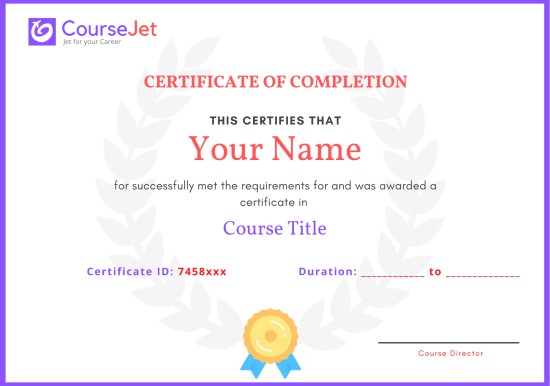
certificate

SharePoint development skills can support preparation for Microsoft certification pathways associated with Microsoft 365 application development and enterprise collaboration solutions. However, Microsoft does not necessarily offer a separate, currently available certification dedicated exclusively to modern SharePoint Framework development. A relevant credential is Microsoft 365 Certified: Developer Associate, historically associated with the MS-600: Building Applications and Solutions with Microsoft 365 Core Services examination. This certification and examination have been retired and are not available as current certification pathways.

Developers seeking an active Microsoft certification may consider Microsoft Certified: Power Platform Developer Associate, associated with the PL-400: Microsoft Power Platform Developer examination. This credential focuses on Power Platform development, including custom integrations, APIs and application extensibility. It is related to certain SharePoint integration scenarios but does not specifically certify SPFx expertise. Other Microsoft certifications involving Azure development or Microsoft 365 technologies may complement SharePoint development skills, depending on professional objectives.

Learners should consult Microsoft Learn for current certification availability, examination requirements and official learning objectives. CourseJet’s instructor-led SharePoint Developer training can help learners develop programming and integration knowledge relevant to Microsoft 365 solutions. Any CourseJet completion certificate, where available, is separate from Microsoft-issued credentials and does not replace official certification examinations.

CourseJet’s SharePoint Developer Certification Programme provides structured learning focused on modern SharePoint development through live online instructor-led sessions. Learners can develop an understanding of SharePoint Framework, TypeScript, React, SharePoint REST APIs and Microsoft Graph integration. These technologies are relevant to creating customised Microsoft 365 collaboration solutions. Interactive instruction helps learners understand development workflows, application architecture, API authentication and deployment considerations.

The training can also support the development of complementary skills relevant to Microsoft certification pathways involving Power Platform, Azure or Microsoft 365 technologies. However, learners should verify the official examination objectives for any certification they intend to pursue, as SharePoint-specific training may not cover every assessed topic. CourseJet’s online learning model allows participants to discuss technical concepts and development challenges directly with an instructor.

A CourseJet SharePoint Developer course completion certificate, where available, represents completion of the institute’s training programme according to its applicable requirements. The exact conditions for receiving the certificate, including attendance expectations, assessments and minimum completion standards, require confirmation from CourseJet: Confirm Certificate Eligibility and Award Requirements.

A CourseJet training certificate is different from a professional certification issued by Microsoft. Microsoft certifications are awarded through Microsoft’s certification programme after candidates satisfy the relevant examination and eligibility requirements. Learners should confirm whether CourseJet provides a completion certificate and whether any external examination registration, preparation materials or certification fees are included in their selected training arrangements.

The professional recognition of a SharePoint development credential depends on its issuing organisation, assessment standards and relevance to employer requirements. A CourseJet course completion certificate, if provided, demonstrates participation in or completion of SharePoint development training. It should not automatically be described as an internationally accredited Microsoft qualification without verified supporting evidence.

Official Microsoft certifications are issued through Microsoft’s certification programme and may be relevant to employers across different countries. However, SharePoint development recruitment frequently involves assessing practical coding abilities, knowledge of SPFx, API integration and experience building Microsoft 365 solutions. Learners should distinguish between a training provider’s completion certificate and an independently assessed vendor credential. Any claims about external accreditation or international recognition should be verified before enrolment.

Get personalized 1-1 course consultation

Career-Focused Course Material and Personal Coaching to get Job.

SharePoint Developer Projects

CourseJet not only provides you with the best SharePoint Developer training but also makes you work with real-world projects and case studies to help you gain practical knowledge.

  • Practical knowledge is very important to understand how things actually work. To put your all learning into action, you will be required to work on two industry-based live projects that will discuss the real-time use cases.
  • CourseJet SharePoint Developer Training will help you gain in-depth knowledge of all the essential concepts of SharePoint Developer through real-world examples and hands-on projects.
  • We make each and every individual work on SharePoint Developer real-time projects to face challenges during the learning period so it will be very helpful to solve problems arising in organization while in the job.
  • Working with real-time projects will make more efficient and you will get more doubts. This type of working procedure will help you achieve a lot more things in your career.

Develop a professional portfolio Now!

Complete real-time projects, to showcase your skills to employers.

SharePoint Developer Trainer Profile

You will learn the SharePoint Developer essentials from the expert’s trainers who hold 10+ years of real-time experience in handling diversified projects.

10+ Years Experienced

Our SharePoint Developer Trainers are more than 10+ Years of experience.

Working in Top MNCs

Our SharePoint Developer Trainers are Working in a top MNC company around the globe.

Trained 2000+ Students

Our SharePoint Developer Trainers are Trained more than 2000+ Students in SharePoint Developer Courses.

Certified Professionals

Our SharePoint Developer Trainers are certified SharePoint Developer Professionals with Strong Practical Knowledge.

Certification Guidance

Our SharePoint Developer Trainers will help you in getting International Certification if available.

Completed 700+ Batches

In CourseJet, we already finished many batches successfully with certifications.

Talk to our course Trainer now

Enroll now and get a free consultation with the trainer.

SharePoint Developer Training Reviews

Our Best SharePoint Developer Teaching methodology has acquired millions of students around the globe and they shared their success stories in the form of reviews.

✎ 2234
Total Reviews
✪ 4.9
Review score
✉ 99%
Course Completions

SharePoint Developer Jobs & Placements

CourseJet has tie-up with small, medium, and large scale corporations across the world. We provide you with the complete placement assistance by forwarding your resume to the companies we tie-up with.

SharePoint development skills are relevant to organisations that use Microsoft 365 for collaboration, document management, internal communication and business application integration. Developers help customise these environments to meet organisational requirements and improve information accessibility. Potential career paths include SharePoint Developer, SPFx Developer, Microsoft 365 Developer, SharePoint Technical Consultant, Collaboration Solutions Developer and Enterprise Application Developer. Each role requires different levels of programming expertise and professional experience.

Employers may evaluate candidates’ knowledge of SharePoint Framework, TypeScript, React, JavaScript, SharePoint REST APIs, Microsoft Graph and application deployment. Additional skills in Microsoft Entra ID, Git, Power Platform and Azure services can support more advanced development responsibilities. CourseJet’s live online SharePoint Developer training can help learners understand the technologies and development workflows relevant to these positions.

Additional services such as technical interview preparation, CV guidance, career counselling and job opportunity updates require confirmation from CourseJet: Confirm CourseJet Placement Assistance Services. Learners should enquire about the availability and conditions of career support before enrolling. Developing SharePoint programming skills can contribute to professional readiness, but completing training does not guarantee employment.

The availability and scope of placement assistance after CourseJet’s SharePoint Developer training should be confirmed directly with the institute: Confirm Placement Support Details. Possible career-related services may include technical interview preparation, CV guidance, career counselling and information about SharePoint development vacancies. These services should only be considered included when CourseJet confirms their availability.

Learners preparing for development positions can strengthen their readiness by practising TypeScript, React, SPFx development and Microsoft 365 API integration. Before enrolling, candidates should clarify the exact placement services offered, applicable eligibility requirements and the duration of any support. Placement assistance does not guarantee employment or a particular salary.

Learning SharePoint development can help you build technical skills relevant to Microsoft 365 application development, but securing employment depends on programming ability, practical experience and employer requirements. Beginners with suitable programming foundations may explore positions such as Junior SharePoint Developer, Microsoft 365 Development Associate or Junior Frontend Developer working with SharePoint solutions.

Experienced developers may pursue SharePoint Developer, SPFx Developer, Microsoft 365 Developer or SharePoint Technical Consultant roles. Employers often expect knowledge of JavaScript, TypeScript, React, SharePoint Framework, REST APIs and Microsoft Graph. Additional experience with Git, Microsoft Entra ID, application security and deployment processes may improve suitability for more advanced positions. Candidates can prepare by developing demonstrable coding skills, understanding SharePoint architecture and practising technical interviews. Training provides a learning foundation, but completing a course alone does not guarantee employment.

Salaries for SharePoint development professionals vary according to country, city, experience, technical specialisation and job responsibilities. A single average salary would not accurately represent all SharePoint development positions. For example, a Junior SharePoint Developer may receive different compensation from an experienced SPFx Developer, Microsoft 365 Developer or SharePoint Technical Architect. These positions require different levels of technical expertise and professional responsibility.

Skills involving TypeScript, React, SharePoint Framework, Microsoft Graph, Azure services, Power Platform and application architecture may influence career opportunities and earning potential. Employers also consider programming experience, software engineering practices, problem-solving abilities and the complexity of previously developed solutions. Without verified current salary data for a specified country, job title and reference period, providing a numerical estimate would be unreliable. Prospective learners should consult recent salary surveys and location-specific job advertisements when evaluating compensation expectations.

Get your dream job in a month

Join the program to meet the Industries recruitment process

FAQ of SharePoint Developer Training

CourseJet FAQs are designed to clear most of your doubts and also help you build power in yourself to get clarified with the rest of doubts related to that course.

Yes, We offering group discounts when you join as more than three people 10% to 30% Price discount will be provided. We also have a referral discount for those who have already enrolled in our training. Terms and conditions apply.

Yes, we will share sample recordings of this course which was recorded during the live class. It will give you a good idea about the classes and the training sessions. 

You need not worry if you miss a class because CourseJet provides live recordings of the sessions so that you can go through them just before you attend the next session. If it is one to one training classes then will be rescheduled at your convenience. 

CourseJet is the Best Online Training platform, it provides high-class services for the learners. CourseJet provides Job Assistance for the learners and also helps them in getting placed in top MNCs around the world. CourseJet offers 24/7 support, best course material, and videos.

The different modes of training offered by CourseJet are as follows:

  • Instructor-led training
  • Corporate training
  • Self-paced training

Upon successful completion of this training, you will receive Course Completion Certification from CourseJet. It is a Globally Recognized Certification in top MNCs across the world. CourseJet certification is also recommended by top experts.

Yes, CourseJet provides 100% job assistance for the learners to help them get placed in top MNCs. Our trainers will help to create perfect resumes, will share the top interview questions, tutorials and necessary software installation guides.

CourseJet Job assistance program will train you to achieve your dream job by referring your resume to tied up companies and also assisting with preparing your resumes and providing important interview questions. We will help you in the all dimension between you and recruiters companies and the final selection decisions is always depends on the recruiter by the candidate’s performance in the interview. 

Yes, it is possible by paying some extra charges and can continue learning the course from the next batch.

The system requirements required to attend this training are:

  • An operating system such as Mac OS, Windows, Linux.
  • 4 GB RAM
  • Dual-core CPU

We are Experts in corporate training by Upgrading your team member’s skills. So, please get in touch with our team through fillup the corporate training Form or contact us via our Mail Id or Phone. 

Payments can be made using any of the following options like Debit Card / Credit Card, American Express, Master Card, or PayPal and a receipt of the same will be issued to you automatically via email. 

Looking for Group Discounts?

Enroll now and get a group discounts upto 30%

Related Courses

CourseJet provides training for a large number of courses. We have more than 250+ courses on our website and also provide assistance for the participants in suggesting the best training course.

© 2026 Digivigor Pvt. Ltd. All rights Reserved. The certification names are the trademarks of their respective owners. All trademarks are properties of their respective owners. View Our Disclaimer for more details. 

🚀Fill Up & Get Free Quote