WordPress Certification Training Course

Ratings: 4.9 - 2,237 reviews
Rated 5 out of 5

WordPress Online training helps learners understand how to create, customise and manage websites using WordPress, one of the widely used content management systems (CMS). The training introduces website setup, themes, plugins, pages, posts, menus, widgets and dashboard management, alongside essential concepts such as hosting, domains and website security. Learners can develop practical skills in building responsive websites, managing content, configuring plugins and making basic design changes. CourseJet delivers the programme through 100% live online instructor-led training, giving learners an opportunity to follow explanations and clarify technical questions during sessions. It is suitable for beginners, aspiring web developers, bloggers, digital marketers, entrepreneurs and professionals who want to build or manage WordPress websites for personal or business use.

2579+

Total Learners

30 Hrs

Course Duration

15 Hrs

Assignments Duration

100%

Job Oriented Training

24/7

Students Support

CourseJet's Training Modes

Learn from World’s top WordPress Certified faculty and industry leaders

Online Batch Training

One To One Training

Customized Training

Fast Track Training

Corporate Training

Upcoming Batch Schedule

Check out our WordPress online certification batch timings. Does this batch not suits your timings? No worries, we will customize and arrange the batch timings that match you perfectly to your interest.

19-11-2026

Weekdays Regular (Class 1Hr - 1:30Hrs) / Per Session. (Monday - Friday) Time: 08:00 AM (IST)
WEEK DAY

21-11-2026

Weekend Regular (Class 3Hrs) / Per Session. (Saturday - Sunday) 11:00 AM (IST)
Week End

23-11-2026

Weekdays Regular (Class 1Hr - 1:30Hrs) / Per Session. (Monday - Friday) Time: 08:00 AM (IST)
WEEK DAY

22-11-2026

Weekend Regular (Class 3Hrs) / Per Session. (Saturday - Sunday) 11:00 AM (IST)
Week END

19-11-2026

Weekdays Fast-track (Class 3Hrs - 4Hrs) / Per Session. (Monday - Friday) 10:00 AM (IST)
FAST TRACK

21-11-2026

Weekend Fast-track (Class 5Hrs - 6Hrs) / Per Session. (Saturday - Sunday) 11:00 AM (IST)
Fast Track

Can’t find a batch you were looking for?

Get Flexible Batch Timings according to your Interest 

Best WordPress Certification Online Course

WordPress is an open-source content management system (CMS) used to create and manage websites, blogs, business portals and online stores. Its flexible architecture allows users to manage content through an administration dashboard while extending website functionality with themes and plugins. WordPress supports both beginner-friendly website creation and more advanced development using PHP, HTML, CSS, JavaScript and its APIs.

The training explores essential WordPress components, including posts, pages, media libraries, menus, themes, plugins and user roles. Learners can also understand website configuration, permalink settings, responsive design, backups, updates and basic security practices. Depending on the website requirements, WooCommerce can be used to add e-commerce functionality.

WordPress is used across industries for corporate websites, blogs, portfolios, landing pages, news platforms and online shops. CourseJet’s 100% live online instructor-led training focuses on helping learners understand website management and customisation through guided instruction and practical examples. Learners can develop skills in publishing content, selecting suitable themes, configuring plugins and maintaining WordPress websites. These capabilities can support further learning in web development, website administration and digital marketing

Benefits of Learning WordPress at CourseJet

Looking for Hands-On Training?

Get Practical Assignments and Real time projects

Drop us a Query

About WordPress Course

The WordPress course explains how a website is structured, how its content is managed and how its functionality can be extended. Learners explore the administration dashboard and the relationship between posts, pages, categories, tags and media. They can also understand how the block editor uses blocks and patterns to create and arrange website content. Website appearance is managed through themes. Modern block themes support customisation through the Site Editor, including templates, template parts, styles and navigation. Plugins provide additional functionality, while WordPress user roles and capabilities help control access to administrative features.

For learners interested in development, WordPress also offers opportunities to work with PHP, HTML, CSS and JavaScript. More advanced concepts include theme structure, the template hierarchy, hooks, custom post types and the WordPress REST API. These technologies are relevant when building customised websites, integrations and content-driven applications. WordPress is used by businesses, publishers, educational organisations, agencies and independent professionals. Typical applications include company websites, blogs, portfolios, membership platforms and e-commerce stores. Understanding website maintenance, updates, backups, performance and security is also important when managing a site over time.

The main objective of WordPress training is to help learners create, customise and manage websites confidently. The course aims to develop the following capabilities:

  • Understand WordPress architecture and the purpose of a content management system.
  • Navigate the WordPress dashboard and configure essential website settings.
  • Create and manage posts, pages, categories, tags and media.
  • Use the block editor to organise content and page layouts.
  • Select and customise themes, including relevant block theme features.
  • Install, configure and manage plugins to extend website functionality.
  • Manage user accounts, roles and permissions.
  • Understand website maintenance, backups, updates and basic security practices.

WordPress skills can support career paths in website administration, web design, content management and digital marketing. Depending on technical ability and experience, learners may explore roles such as WordPress Developer, Website Administrator, Web Designer, CMS Specialist or Digital Marketing Executive. Employers and clients may value the ability to publish content, customise themes, configure plugins, maintain websites and resolve common issues.

For development-focused roles, knowledge of PHP, HTML, CSS, JavaScript, databases and the WordPress REST API can be particularly useful. WordPress also complements SEO, content strategy, e-commerce and analytics skills. Building a portfolio of websites or customisations can help demonstrate practical ability when applying for roles or seeking freelance projects. Career outcomes depend on experience, technical depth and employer requirements.

This course is suitable for learners who want to create, manage or develop WordPress websites. It can be particularly useful for:

  • Beginners: People starting to learn website creation and content management.
  • Aspiring web developers: Learners who want to build websites and progress towards WordPress development.
  • Web designers: Professionals interested in customising themes and page layouts.
  • Digital marketers: People who manage website content, landing pages and campaign pages.
  • Bloggers and content creators: Individuals who want to publish and organise online content.
  • Business owners and entrepreneurs: People planning to manage their own business websites.
  • Website administrators: Professionals responsible for maintaining and updating websites.
  • Freelancers: Individuals who want to offer WordPress website setup, design or maintenance services.

Beginners can start with WordPress fundamentals. No previous WordPress development experience is necessary for learning basic website management, although familiarity with using a computer and browsing the web is helpful. A basic understanding of website concepts, domains and hosting can make the learning process easier. Learners interested in custom theme or plugin development should gradually build knowledge of HTML, CSS, PHP and JavaScript. Access to a compatible WordPress installation and a suitable computer is recommended for practising website configuration and development tasks.

CourseJet’s batch size and one-to-one training availability require confirmation. CourseJet to confirm whether batches of 2–3 learners are offered. Smaller groups can provide more opportunities to discuss website configuration, ask questions about themes and plugins, and clarify issues encountered while working with WordPress. CourseJet to confirm whether one-to-one sessions are available and whether learners can request them during enrolment. Contact CourseJet for confirmed batch arrangements.

Launch your dream career Now!

Get personalized career coaching & mentors from industry

WordPress Curriculum

Our WordPress Course Curriculum encompasses all the course modules with a clear description and the concepts covered in each module. CourseJet designs the syllabus in the learner's perspective to provide comprehensive knowledge.

  • Introduction
  • A brief History
  • A brief History
  • All About WordPress
  • WordPress Blogs vs. Websites
  • WordPress.org vs WordPress.com
  • WordPress themes Overview
  • Find a Host for WordPress Website
  • Finding a domain
  • Registering a domain
  • Choosing a web hosting package
  • Know WordPress Features
  • Getting started with WordPress
  • Know the Dashboard
  • Install WordPress
  • Setup your Prole
  • The MySQL database
  • Uploading your les
  • The install Script
  • About WordPress Release Cycles
  • Upgrading WordPress
  • Organizing Content in WordPress
  • Archiving content
  • The purpose of categories
  • Naming a category
  • Creating a new category
  • About static page parents and children
  • Permalinks
  • Dressing up links
  • Customizing links
  • Checking Links with Your Server
  • About Feed Readers
  • RSS Options
  • RSS and Social Media
  • WordPress Tags
  • Custom Menus in WordPress
  • Creating Content in WordPress
  • WordPress Posts vs WordPress Pages
  • Writing Posts in WordPress
  • Manage & Edit posts in WordPress
  • Using Post Formats
  • Publishing Posts
  • Create Pages in WordPress
  • Manage & Edit pages in WordPress
  • Protect Your Work
  • All About WordPress SEO
  • Working with WordPress Media Library
  • Add images to a post
  • Create a Photo Gallery
  • Add audio and videos to a Post
  • Add a PDF le to the Post
  • Add an image gallery to the side bar
  • About the layout and structure
  • Customizing the header image
  • Choosing a header image
  • Creating your own header image
  • Custom navigation
  • About widgets
  • Using widgets
  • Adding widgets to a sidebar or footer
  • The text widget
  • The RSS widget
  • Using WordPress Themes
  • Customizing WordPress Themes
  • Using WordPress Plugins
  • Using WordPress Widgets
  • Using WordPress Screen Options
  • Widgets Reloaded
  • Supercharge WordPress Site using Jetpack
  • WordPress Themes Mechanics Webinar
  • WordPress Theme Setup Webinar
  • Working on Fonts in WordPress
  • Managing WordPress Comments
  • Fighting WordPress Comment SPAM
  • Content Import and Export in WordPress
  • WordPress User Roles Explained
  • Managing WordPress Users
  • Disaster Recovery and Planning Guide
  • WordPress Backup Plugin – Backup Buddy
  • WordPress Backup Solutions – Vault Press
  • Solving WordPress Plugin Paradox
  • Installing WordPress on your System – Windows and MAC
  • WordPress Site Migration using Duplicator
  • WordPress Security Brieng
  • General Settings
  • Writing Settings
  • Reading Settings
  • Discussion Settings
  • Media Settings
  • Using Permalinks
  • Dene a Business Website
  • Plan Content
  • Diagram your Website
  • Create a Budget
  • Google Webmaster Tools to improve your website
  • Gravity Forms for Data Collection
  • Contact Form Creation
  • Email Subscription Form
  • Improve on-site Search
  • Web Analytics for tracking progress
  • Make Social Connections
  • Add Audios and Videos
  • Add Survey
  • Add calendar of events
  • WordPress Security Plugin
  • Upgrade your WordPress site
  • WordPress Disaster Planning
  • WordPress Backups and solutions

All the above concepts will be covered in Our WordPress Course. You will become a master in all the concepts of WordPress because our trainers will make you learn very effectively. Our main goal is to make students satisfied with the training and place them in the top companies.

Like the Course Curriculum?

Or need customized syllabus? Enroll Now & personalized it!

WordPress Course Features

CourseJet offers the best WordPress online training with advanced features. Our world-class features will provide zeal for the learners to enroll for top training courses.

Instructor-led Sessions

30 to 45 Hrs of WordPress Online Live Instructor-Led Classes.

Expertise Faculties

Our Faculties are working WordPress Professionals in MNC Companies.

Certification & Job Assistance

After Successful completion WordPress course you will receive Globally Recognized CourseJet Certificate.

100% Job Oriented Training

WordPress Live project based on any real time scenarios.

Lifetime Access

You get lifetime access which includes WordPress class recordings and Materials.

Flexible Schedule

We will provide you Convenient Class Batches with lifetime access to our 24x7 online support team.

WordPress Certification Training

Get the Globally Recognized WordPress certification training from CourseJet under the guidance of WordPress Experts. CourseJet teaches you all the WordPress concepts with global standards.

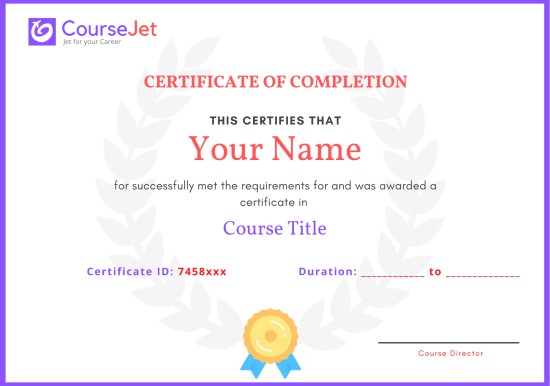
certificate

WordPress is an open-source platform, and its official community provides structured learning resources rather than one universal, official WordPress certification examination. The official Learn WordPress website offers learning pathways for users, developers and designers, covering subjects from website management to theme development. Learners can use these resources to develop knowledge of WordPress administration, website design, block themes and development. For those pursuing technical roles, understanding PHP, theme architecture, plugin development, WordPress APIs and secure coding practices can provide useful professional foundations. The official WordPress Developer Resources also provide documentation for themes, plugins, APIs and advanced administration.

CourseJet’s training may help learners build knowledge relevant to these areas through live online instructor-led sessions. However, it should not be presented as preparation for an official WordPress certification examination. CourseJet to confirm whether a CourseJet course completion certificate is issued and provide its completion requirements. A provider-issued completion certificate, if available, is different from an external professional credential.

A structured WordPress programme can help you understand website creation and management in a logical sequence. Through live online instructor-led training, learners can explore the dashboard, content organisation, themes, plugins and website configuration with guidance. The programme can also introduce development-related concepts such as PHP, CSS, JavaScript and WordPress APIs, depending on the confirmed course scope. This knowledge can support website administration, design and development work. Learners interested in further study can also use the official WordPress learning pathways and developer documentation to continue developing their skills. CourseJet to confirm whether external certification guidance or exam preparation is included.

CourseJet to confirm whether a course completion certificate is issued, along with the attendance, assessment and completion requirements. If available, the CourseJet certificate would represent completion of its training programme. It should not be described as an official WordPress certification or a credential issued by the WordPress project. WordPress learning pathways and developer resources are available through the official community, but they are separate from any certificate CourseJet may provide.

A CourseJet completion certificate, if issued, can provide evidence that a learner has completed the provider’s training programme. Employers may consider it alongside practical website development skills, relevant experience and a portfolio of completed work. However, global recognition should not be claimed without verified accreditation or endorsement. WordPress provides official learning pathways and technical documentation, but these should not be confused with a universal vendor certification. Learners should check the certificate issuer, assessment process and any stated accreditation before relying on a credential for professional requirements.

Get personalized 1-1 course consultation

Career-Focused Course Material and Personal Coaching to get Job.

WordPress Projects

CourseJet not only provides you with the best WordPress training but also makes you work with real-world projects and case studies to help you gain practical knowledge.

  • Practical knowledge is very important to understand how things actually work. To put your all learning into action, you will be required to work on two industry-based live projects that will discuss the real-time use cases.
  • CourseJet WordPress Training will help you gain in-depth knowledge of all the essential concepts of WordPress through real-world examples and hands-on projects.
  • We make each and every individual work on WordPress real-time projects to face challenges during the learning period so it will be very helpful to solve problems arising in organization while in the job.
  • Working with real-time projects will make more efficient and you will get more doubts. This type of working procedure will help you achieve a lot more things in your career.

Develop a professional portfolio Now!

Complete real-time projects, to showcase your skills to employers.

WordPress Trainer Profile

You will learn the WordPress essentials from the expert’s trainers who hold 10+ years of real-time experience in handling diversified projects.

10+ Years Experienced

Our WordPress Trainers are more than 10+ Years of experience.

Working in Top MNCs

Our WordPress Trainers are Working in a top MNC company around the globe.

Trained 2000+ Students

Our WordPress Trainers are Trained more than 2000+ Students in WordPress Courses.

Certified Professionals

Our WordPress Trainers are certified WordPress Professionals with Strong Practical Knowledge.

Certification Guidance

Our WordPress Trainers will help you in getting International Certification if available.

Completed 700+ Batches

In CourseJet, we already finished many batches successfully with certifications.

Talk to our course Trainer now

Enroll now and get a free consultation with the trainer.

WordPress Training Reviews

Our Best WordPress Teaching methodology has acquired millions of students around the globe and they shared their success stories in the form of reviews.

✎ 2237
Total Reviews
✪ 4.9
Review score
✉ 99%
Course Completions

WordPress Jobs & Placements

CourseJet has tie-up with small, medium, and large scale corporations across the world. We provide you with the complete placement assistance by forwarding your resume to the companies we tie-up with.

WordPress knowledge can be applied across website development, content management, digital publishing and online business operations. Depending on their experience and technical skills, learners may consider roles such as WordPress Developer, Web Designer, Website Administrator, CMS Specialist, Junior PHP Developer or Digital Marketing Executive. Freelance website creation and maintenance can also be possible career paths.

Employers and clients may look for practical abilities such as configuring WordPress installations, customising themes, managing plugins, publishing content, maintaining website security and troubleshooting common issues. Development-focused positions may require PHP, HTML, CSS, JavaScript, MySQL and familiarity with WordPress hooks or REST APIs.

CourseJet’s live online instructor-led training can help learners develop foundational knowledge for these responsibilities. CourseJet to confirm whether interview preparation, CV guidance, career mentoring or job opportunity updates are offered. Building a portfolio and gaining practical experience can further support career preparation. Training alone does not guarantee employment.

Placement support for the WordPress course requires confirmation from CourseJet. CourseJet to confirm whether interview preparation, CV assistance, career guidance, mentoring or job opportunity updates are included. Learners should check which services are available, their eligibility requirements and any conditions before enrolling. Preparing a portfolio that demonstrates website creation, theme customisation, plugin configuration and content management can also help when applying for relevant positions. Course completion does not guarantee placement or employment.

Learning WordPress can help prepare you for entry-level opportunities in website administration, content management, web design and WordPress development. With suitable technical experience, learners may progress towards roles involving custom themes, plugin development, PHP programming and website integrations. Employers typically look for practical knowledge of the WordPress dashboard, themes, plugins, responsive design and website maintenance.

For development roles, complementary skills such as PHP, HTML, CSS, JavaScript, MySQL and REST API integration can be valuable. A portfolio showing working websites, customisations and problem-solving ability can strengthen your applications. You should also practise explaining your technical decisions and troubleshooting approach during interviews. Completing training is a useful learning step, but employment depends on your skills, experience and the requirements of each employer.

There is no single standard salary for WordPress-certified professionals because WordPress is used across several job roles, and there is no universal official WordPress certification. Compensation varies by country, location, experience, employer, project complexity and technical responsibilities.

Relevant roles include WordPress Developer, Web Designer, Website Administrator, CMS Specialist and PHP Developer. Entry-level positions may focus on content updates, theme configuration and routine website maintenance. More experienced developers may work on custom themes, plugin development, performance improvements, integrations and complex website functionality.

In India, earning potential can depend on proficiency in PHP, JavaScript, HTML, CSS, MySQL, WooCommerce and WordPress APIs, as well as the ability to manage projects independently. Freelance earnings also vary according to client budgets, project scope and ongoing support arrangements. Compare current salary information for the specific role and experience level rather than assuming that a WordPress training certificate determines compensation.

Get your dream job in a month

Join the program to meet the Industries recruitment process

FAQ of WordPress Training

CourseJet FAQs are designed to clear most of your doubts and also help you build power in yourself to get clarified with the rest of doubts related to that course.

Yes, We offering group discounts when you join as more than three people 10% to 30% Price discount will be provided. We also have a referral discount for those who have already enrolled in our training. Terms and conditions apply.

Yes, we will share sample recordings of this course which was recorded during the live class. It will give you a good idea about the classes and the training sessions. 

You need not worry if you miss a class because CourseJet provides live recordings of the sessions so that you can go through them just before you attend the next session. If it is one to one training classes then will be rescheduled at your convenience. 

CourseJet is the Best Online Training platform, it provides high-class services for the learners. CourseJet provides Job Assistance for the learners and also helps them in getting placed in top MNCs around the world. CourseJet offers 24/7 support, best course material, and videos.

The different modes of training offered by CourseJet are as follows:

  • Instructor-led training
  • Corporate training
  • Self-paced training

Upon successful completion of this training, you will receive Course Completion Certification from CourseJet. It is a Globally Recognized Certification in top MNCs across the world. CourseJet certification is also recommended by top experts.

Yes, CourseJet provides 100% job assistance for the learners to help them get placed in top MNCs. Our trainers will help to create perfect resumes, will share the top interview questions, tutorials and necessary software installation guides.

CourseJet Job assistance program will train you to achieve your dream job by referring your resume to tied up companies and also assisting with preparing your resumes and providing important interview questions. We will help you in the all dimension between you and recruiters companies and the final selection decisions is always depends on the recruiter by the candidate’s performance in the interview. 

Yes, it is possible by paying some extra charges and can continue learning the course from the next batch.

The system requirements required to attend this training are:

  • An operating system such as Mac OS, Windows, Linux.
  • 4 GB RAM
  • Dual-core CPU

We are Experts in corporate training by Upgrading your team member’s skills. So, please get in touch with our team through fillup the corporate training Form or contact us via our Mail Id or Phone. 

Payments can be made using any of the following options like Debit Card / Credit Card, American Express, Master Card, or PayPal and a receipt of the same will be issued to you automatically via email. 

Looking for Group Discounts?

Enroll now and get a group discounts upto 30%

Related Courses

CourseJet provides training for a large number of courses. We have more than 250+ courses on our website and also provide assistance for the participants in suggesting the best training course.

© 2026 Digivigor Pvt. Ltd. All rights Reserved. The certification names are the trademarks of their respective owners. All trademarks are properties of their respective owners. View Our Disclaimer for more details. 

🚀Fill Up & Get Free Quote