
Tableau Training in Indore
CourseJet's Tableau Certification Training in Indore helps you start a journey of excellence in Environmental Setup, Tableau Data Sources, Data Blending, Fields Operations, Tableau Worksheets, Sorts, Filters, Tableau Charts, LOD Expressions, Tableau Desktop, Tableau Public and a lot more. We are Providing Best Tableau Training with the 10+ Years Experienced Tableau Trainer. We are conducting the Tableau classes with more practical sections and also with realtime corporate projects, It will help you to get job placement in good companies with high salary package. Our Trainers are offering Tableau Training in Indore, Tableau Corporate Training, and Tableau Fasttrack Training with basic to advanced levels Tableau syllabus prepared by Tableau Industry Experts. Our Tableau Course in Indore is conducted on both weekdays and weekends according to the student's requirements.
2329+
Total Learners
30 Hrs
Course Duration
15 Hrs
Assignments Duration
100%
Job Oriented Training
24/7
Students Support

CourseJet's Training Modes
Learn from World’s top Tableau Certified faculty and industry leaders
Online Batch Training
One To One Training
Customized Training
Fast Track Training
Corporate Training
Upcoming Batch Schedule
Check out our Tableau certification training in Indore batch timings. Does this batch not suits your timings? No worries, we will customize and arrange the batch timings that match you perfectly to your interest.
26-10-2026
24-10-2026
29-10-2026
25-10-2026
26-10-2026
24-10-2026
Can’t find a batch you were looking for?
Get Flexible Batch Timings according to your Interest
Best Tableau Certification Course in Indore
Are you in search of the Best institute for Tableau Training in Indore, Coursejet is one of the top Tableau Training institutes in Indore! They provide the best Tableau training for the aspirants by the industry experts.
Benefits of Learning Tableau at CourseJet
- CourseJet provides fully hands-on training for the learners to gain practical experience in all the core concepts of Tableau course.
- Tableau course curriculum is designed with the utmost care at CourseJet by well-experienced professionals in Tableau.
- Our trainers at CourseJet cover all the concepts of Tableau from basic level to advance level to make learners get a clear idea about every small aspect of a concept.
- We make learners work on case studies and real-life use cases to gain hands-on experience in a particular field of Tableau and make students remember each concept with real-time examples.
- We provide Tableau video recordings of the sessions for the students who want to listen again and also our trainers make sure that they recap the previous session topics before they start any fresh concept.
- We at CourseJet are very glad to tell you that our Tableau trainers will be available for the students 24/7 to clarify their doubts.
- CourseJet provides 100% job-oriented Tableau training.
- Certification Guidance is also provided for the learners at CourseJet.
- At CourseJet you will find the affordable fee structure.
- CourseJet offers more than 250+ IT training courses all over with 10+ years of experienced trainers.
Drop us a Query
About Tableau Course in Indore
CourseJet is Providing the Best Tableau Training in Indore among the any other Online Institutes with 10+ Years Experienced Trainers. Our students will able to clear all the types of Tableau Job interviews, Tableau certification, and Tableau competitive exams. We are creating our students and trainers in good mentorship programs for their future assistance in subject. CourseJet is focused on job placements as well by creating separate job portals to know the recent job openings in Tableau. Our Tableau Course Fees is also very affordable when compared to others. CourseJet is the only online training institute shares the recorded video sessions of the Tableau classes conducted by our trainers, it will be very useful for clearing the doubts. Our Tableau course timings are also flexible according to your interests.
Upon successful completion of this training, you will gain expertise in the following
- In this Tableau Training, you will master the basics of advanced concepts in Tableau.
- Our Tableau course training is designed to make as an expert in various tasks and competitive tasks in Tableau project work.
- At the end of this Tableau Certification course, you will become perfectly fit for the jobs related to Tableau.
- CourseJets Tableau Course in Indore will teach you the real-world applications and scenarios, which will help you in the research and development of the applications.
- We ensure that all our Tableau Course participants will get hands-on experience in Tableau by working on live projects.
- Tableau course is one of the top courses in the current IT market.
- Most of the Top MNCs and IT companies are looking for Tableau certified professionals.
- The average salary of the Tableau Certified professional is around $115,500 per annum in the united states.
Aspirants who wish to build their career in trending course and want to reach their high expectations in the world of IT. The following are the roles who are best fit for this Tableau course are listed below.
- Freshers
- Professionals
- Job Seekers
- Project Managers
- Those who have an interest in Tableau career
- Those who have the interest to upgrade your skills in Tableau.
There are no specific prerequisites to learn this Tableau Course in Indore. Having a interest to learn Tableau course is enough. So no prerequisite is required to enroll in the Tableau course.
CourseJet will provide individual attention to all our students so it will help to clarify all the doubts so we restrict the batch size of each Tableau course to 5 to 6 members.
Curriculum of tableau course in Indore
Our Tableau Course Curriculum encompasses all the course modules with a clear description and the concepts covered in each module. CourseJet designs the syllabus in the learner's perspective to provide comprehensive knowledge.
Data Visualization is a technique that is mainly used to represent the data in the graphical format. By using visual elements like maps, charts, and graphs you can represent data in the graphical format. Data Visualization tools provide an accessible way to see and understand patterns, trends, and outliers in data.
Topics covered in this module are:
- Need for Data Visualization
- Key features of Data Visualization
- How to visualize data
- Benefits of Data Visualization
Tableau is the most prominent and fastest-growing data visualization tool used in the Business Intelligence Industry. Tableau helps anyone to see and understand their hidden insights of data. Tableau provides the best way to analyze data fastly and beautifully. It helps most of the organizations to visualize data in a well-organized manner.
Topics covered in this module are:
- Introduction to Business Intelligence
- Why Tableau
- All Tableau versions
- Tableau Characteristics
- History of Tableau
- Key features in all the versions of Tableau
- Tableau Architecture and its components
- Vizql in Tableau
Tableau is the most prominent and fastest-growing data visualization tool used in the Business Intelligence Industry. Tableau’s Architecture is a client-server architecture that mainly servers web clients and mobile clients. Tableau helps anyone to see and understand their hidden insights of data. Tableau provides the best way to analyze data fastly and beautifully. It helps most of the organizations to visualize data in a well-organized manner.
Topics Covered in this module are:
- Introduction to Tableau
- Overview of Tableau Architecture
- Tableau Server Architecture
- Key components
Tableau helps anyone to see and understand their hidden insights of data. Tableau provides the best way to analyze data fastly and beautifully. Tableau is the most prominent and fastest-growing data visualization tool used in the Business Intelligence Industry.
Topics Covered in this module are:
- Tableau Desktop
- Tableau Server
- Tableau Public
- Tableau Reader
- Tableau Online
Data Joins are mainly used to combine data on the common fields on Tableau Desktop. Finally, by combining data using joins the end result will be in the form of a virtual table that can be extended.
Topics Covered in this module are:
- What are Data Joins in Tableau
- Different types of Joins
- Use of Joins
- Rules to perform join operations in Tableau
- Custom SQL
Data Aggregation in Tableau is a key element that is mainly used to aggregate dimensions and measures. It is the data gathering process in which the whole data is brought together and combined. In Tableau Dashboard, whenever you add a particular measure to your view an aggregation function is added to that measure by default. The aggregation which is applied depends on the context of the view.
Topics covered in this module are:
- What is Data Aggregation
- How to aggregate Data in Tableau
- Aggregation vs Disaggregation of Data in Tableau
- Examples of aggregate data
Data Blending is a key feature in Tableau. It is defined as a process of combining data sources from multiple sources and merge them into a single data set. It is one of the quickest method used to extract key values form the multiple data sources. The best part of this feature is that you can analyze whole data together in a single view. In this module, you will gain in-depth knowledge of the following.
Topics Covered in this module are:
- What is Data Blending
- Different types of Data Blending
- Use of Data Blending in Tableau
- Data Blending vs Data Joins
Data Connections in Tableau are mainly used to connect Tableau to various data sources like websites, Databases, and excels. Tableau data connections are also used to join and connect various sheets present in an excel file.
Topics Covered in this module are:
- What are Data Connections in Tableau
- Types of Data Connections
- How to connect to extract Data Connections in Tableau
- Creation of Extract files in Tableau
Tableau Dashboard plays a key role because it is the main component used to represent a collection of several views. It lets you compare a variety of data simultaneously. Everything you can view and review on the dashboard. You can create a Tableau Dashboard in which you can display all the views at once.
Topics covered in this module are:
- How to build a dashboard in Tableau
- Creation of interactive dashboards
- Various Dashboard examples
- Importance ofTableau Dashboard
- Advantages of using Tableau Dashboard
In Tableau, sets are considered as the custom fields that are mainly used to define a subset of data based on some conditions. In Tableau, you can make sets more interactive and dynamic by using different Set Actions. In this module, you will learn in detail about the creation of sets.
Topics Covered in this module are:
- Set Definition
- Different types of Sets
- Need for Sets in Tableau
- What is a Group
- How to edit existing groups
- Need for Groups in Tableau
- Limitation of Groups
In Tableau, filters play a key role in analyzing data. You will learn how to filter data from your views. furthermore, you will also gain in-depth knowledge of different types of filters.
The topics covered in this section are:
- What is a filter
- Need for Wild Card
- Filters on Dimensions
- Filters on Measures
- Quick Filters
- Context Filters
- Global Filters
- Define filters at Custom SQL
Calculated fields in Tableau are mainly used to create dimensions such as measures, segments, etc. Calculated fields are used to convert the data type of the particular field and they are mainly used to create new data from the existing data sources. Level of Detail (LOD) expressions are mainly used to run complex queries that involve many dimensions at the data source level. The LOD expressions are used to compute aggregations and also allow you to compute values at data source levels.
Topics covered in this module are:
- What is the use of Calculated fields in Tableau
- WINDOW_SUM Calculations
- String Calculations
- DATE Calculations
- RUNNING_SUM Calculations
- Boolean Calculations
- What are LOD Expressions
- Need for LOD expressions in Tableau
Visual Analytics helps users to design interactive visualizations so that viewers can easily understand and use them. Tableau is the most popular analytics and data visualization tool designed for marketers, statisticians, financial analysts, businesses, etc. You can connect multiple data sources using visual analytics.
Topics covered in this module are:
- Visual Analytics with Tableau
- How to create insightful dashboards
- Examples of Visual Analytics
Mapping is a technique that is mainly used to plot your data on maps in Tableau. If you want to analyze your data geographically you can make use of mapping. Different types of maps can be created in Tableau.
The topics covered in this module are:
- What is Mapping
- Tree Maps
- Filed Maps
- Geo-Coding
- Symbol Maps
- Custom Geo-Coding
- Heat Maps
- Use of Mapping
Charts/Graphs/Bars are the key visual elements that are used to visualize data. These elements provide a way to create interactive visuals and help the users and clients to get a clear understanding of multiple data sources in a well-organized format. You will get to know in detail about different types of graphs and charts in Tableau.
Topics Covered in this module are:
- Why Graphs
- Use of Graphs/Charts in Tableau
- Line Graphs
- Dual Line Graphs
- Single Line Graphics
- Blended Axis
- Blended axis vs Dual axis
- Stacker Bar charts
- Horizontal Bar charts
- Pie Charts
- Gantt Charts
Charts/Graphs/Bars are the key visual elements that are used to visualize data. These elements provide a way to create interactive visuals and help the users and clients to get a clear understanding of multiple data sources in a well-organized format.
Topics Covered in this module are:
- Scatter plot
- Lollipops Chart
- Whisker plots
- Waterfall Charts
- Funnel Charts
- Donut Charts
Tableau Desktop is considered as the most prominently used data visualization tool. It is mainly used to get actionable insights about data very quickly. It has the capability to connect more amount of data in the cloud. You can even perform mapping techniques on Tableau Desktop. Moreover, you can share and collaborate data insights in a secure way on Tableau Desktop.
Topics covered in this module are:
- What is Tableau Desktop
- Use of Tableau Desktop
- Key features of Tableau Desktop
Tableau Public is free software that allows you to publish your data and connect to files or spreadsheets. It also allows you to create data visualizations for the web.
Topics covered in this module are:
- What is Tableau Public
- Use of Tableau Public
- Key features of Tableau Public
- How it is useful for the users
Tableau Prep Builder is a tool in the Tableau product suite that is mainly designed to make your data intuitive and easy. It is also used to clean, shape, and combine your data for performing analysis in Tableau. You will learn in detail about Tableau Prep in this section.
Topics Covered in this module are:
- What is a Tableau Prep Builder
- Tableau Prep use cases
- Key features of Tableau Prep
- Tableau Prep Interface
- Key features of Tableau Prep Builder
In Tableau, Parameter plays a key role because it is the main element that allows you to provide value to pass into Tableau. It is required for you to visualize data. A parameter can be any kind of value.
Topics Covered in this module are:
- How to create parameters
- Use of parameters in calculations
- Use of parameters along with filters
- Chart selection parameters
- Use of parameters in the reference line
Tableau is the most prominent and fastest-growing data visualization tool used in the Business Intelligence Industry. Tableau helps anyone to see and understand their hidden insights of data. Tableau provides the best way to analyze data fastly and beautifully. R and Big Data are the two trending concepts and also helps you to create more interactive dashboards by integrating Tableau with them.
Topics covered in this module are:
- Introduction to R
- Introduction to Big Data
- How to integrate Tableau Tableau with R
- How to integrate Tableau with Big Data
All the above concepts will be covered in Our Tableau Course in Indore. You will become a master in all the concepts of Tableau because our trainers will make you learn very effectively. Our main goal is to make students satisfied with the training and place them in the top companies.
Features of tableau course in Indore
CourseJet offers the best Tableau training in Indore with advanced features. Our world-class features will provide zeal for the learners to enroll for top training courses.
Instructor-led Sessions
30 to 45 Hrs of Tableau Online Live Instructor-Led Classes.
Expertise Faculties
Our Faculties are working Tableau Professionals in MNC Companies.
Certification & Job Assistance
After Successful completion Tableau course you will receive Globally Recognized CourseJet Certificate.
100% Job Oriented Training
Tableau Live project based on any real time scenarios.
Lifetime Access
You get lifetime access which includes Tableau class recordings and Materials.
Flexible Schedule
We will provide you Convenient Class Batches with lifetime access to our 24x7 online support team.
Tableau Certification Training in Indore
Get the Globally Recognized Tableau certification training from CourseJet under the guidance of Tableau Experts. CourseJet teaches you all the Tableau concepts with global standards.
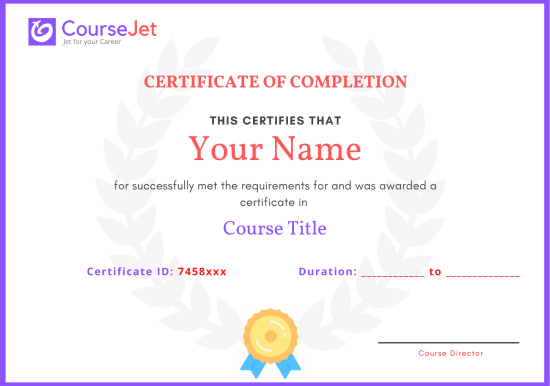
- We at CourseJet not only committed to providing you with the full-fledged Tableau training but also decided to help learners gain comprehensive knowledge of all the core concepts of Tableau to clear Tableau certification exams.
- We do take the utmost care to design the course curriculum to cover all the Tableau Certification concepts.
- Certification acts as a proof for your advanced Tableau skills and helps you secure your dream job.
- At CourseJet our Tableau industry-expert professional trainers will provide you full assistance to clear multiple Tableau certification exams.
- Upon successful completion of this Tableau Certification course, you will receive course completion certification from CourseJet.
- This certification shows your expertise, the amount of time, and the efforts you put in mastering this Tableau domain.
- As a professional acquiring all the Tableau certifications would benefit you to grow a career.
CourseJet follows the learning path certification process. To get the globally recognized CourseJet Tableau Course Certification, you must fulfill the below mentioned following criteria:
- Successful completion of all the course modules presented in the Tableau course curriculum.
- Successful completion of all the tasks and projects which were assigned by the trainer.
- Scoring the minimum 60 percentage of marks in the quiz examination conducted by CourseJet.
Above mentioned criteria are evaluated by our Tableau trainers. If you didn’t meet our criteria, No worries our trainers will coach you to achieve it.
CourseJet’s Tableau certification is recognized in the top 100+ MNCs like TCS, Ericsson, Cisco, Cognizant, Hexaware, HP, Standard Chartered, etc. Our Students are already got the job in MNCs with CourseJet Certification.
Get personalized 1-1 course consultation
Career-Focused Course Material and Personal Coaching to get Job.
Tableau Projects
CourseJet not only provides you with the best Tableau training but also makes you work with real-world projects and case studies to help you gain practical knowledge.
- Practical knowledge is very important to understand how things actually work. To put your all learning into action, you will be required to work on two industry-based live projects that will discuss the real-time use cases.
- CourseJet Tableau Training will help you gain in-depth knowledge of all the essential concepts of Tableau through real-world examples and hands-on projects.
- We make each and every individual work on Tableau real-time projects to face challenges during the learning period so it will be very helpful to solve problems arising in organization while in the job.
- Working with real-time projects will make more efficient and you will get more doubts. This type of working procedure will help you achieve a lot more things in your career.
Develop a professional portfolio Now!
Complete real-time projects, to showcase your skills to employers.
Tableau Trainer Profile
You will learn the Tableau essentials from the expert’s trainers who hold 10+ years of real-time experience in handling diversified projects.
10+ Years Experienced
Our Tableau Trainers are more than 10+ Years of experience.
Working in Top MNCs
Our Tableau Trainers are Working in a top MNC company around the globe.
Trained 2000+ Students
Our Tableau Trainers are Trained more than 2000+ Students in Tableau Courses.
Certified Professionals
Our Tableau Trainers are certified Tableau Professionals with Strong Practical Knowledge.
Certification Guidance
Our Tableau Trainers will help you in getting International Certification if available.
Completed 700+ Batches
In CourseJet, we already finished many batches successfully with certifications.
Tableau Training Reviews
Our Best Tableau Teaching methodology has acquired millions of students around the globe and they shared their success stories in the form of reviews.
✎ 2359
Total Reviews
✪ 4.9
Review score
✉ 99%
Course Completions


Tableau Jobs & Placements
CourseJet has tie-up with small, medium, and large scale corporations across the world. We provide you with the complete placement assistance by forwarding your resume to the companies we tie-up with.
Yes, CourseJet is having a separate team for placement assistance from the beginning of the Tableau course.
- Our Tableau Trainer will help you to build a proper resume for applying for jobs.
- Our Tableau Trainers will provide top Tableau Interview Questions and necessary software installation guides.
- We have a separate job portal, it will give a lifetime Tableau related jobs notifications for free.
- Our Tableau trainers are working in MNCs, they will refer you to their company’s internal jobs.
- Our CourseJet Alumni groups also providing many referring jobs to you.
- We will work hard to provide you the job placements.
- Yes, CourseJet will provide you 100% Job Assistance.
- CourseJet has already trained more than 3500+ students on the Tableau course.
- We have a 90% percent placement record and 1000+ Tableau Job Interview Organized in Last Year.
According to the survey like Glassdoor and PayScale’s latest reports shows that Tableau Certified Professionals are earning an average of $215,457/- Per year in the United States. It will be based on countries, Total Year of Experience, Performances and more. Our Tableau Training leads you to get more salary than the average salary as mentioned above.
Get your dream job in a month
Join the program to meet the Industries recruitment process
FAQ of Tableau Training
CourseJet FAQs are designed to clear most of your doubts and also help you build power in yourself to get clarified with the rest of doubts related to that course.
Yes, We offering group discounts when you join as more than three people 10% to 30% Price discount will be provided. We also have a referral discount for those who have already enrolled in our training. Terms and conditions apply.
Yes, we will share sample recordings of this course which was recorded during the live class. It will give you a good idea about the classes and the training sessions.
You need not worry if you miss a class because CourseJet provides live recordings of the sessions so that you can go through them just before you attend the next session. If it is one to one training classes then will be rescheduled at your convenience.
CourseJet is the Best Online Training platform, it provides high-class services for the learners. CourseJet provides Job Assistance for the learners and also helps them in getting placed in top MNCs around the world. CourseJet offers 24/7 support, best course material, and videos.
The different modes of training offered by CourseJet are as follows:
- Instructor-led training
- Corporate training
- Self-paced training
Upon successful completion of this training, you will receive Course Completion Certification from CourseJet. It is a Globally Recognized Certification in top MNCs across the world. CourseJet certification is also recommended by top experts.
Yes, CourseJet provides 100% job assistance for the learners to help them get placed in top MNCs. Our trainers will help to create perfect resumes, will share the top interview questions, tutorials and necessary software installation guides.
CourseJet Job assistance program will train you to achieve your dream job by referring your resume to tied up companies and also assisting with preparing your resumes and providing important interview questions. We will help you in the all dimension between you and recruiters companies and the final selection decisions is always depends on the recruiter by the candidate’s performance in the interview.
Yes, it is possible by paying some extra charges and can continue learning the course from the next batch.
The system requirements required to attend this training are:
- An operating system such as Mac OS, Windows, Linux.
- 4 GB RAM
- Dual-core CPU
We are Experts in corporate training by Upgrading your team member’s skills. So, please get in touch with our team through fillup the corporate training Form or contact us via our Mail Id or Phone.
Payments can be made using any of the following options like Debit Card / Credit Card, American Express, Master Card, or PayPal and a receipt of the same will be issued to you automatically via email.
Related Courses
CourseJet provides training for a large number of courses. We have more than 250+ courses on our website and also provide assistance for the participants in suggesting the best training course.
Related Blogs
CourseJet provides you with a large number of learning resources. We have more blogs related to Tableau on our websites and more number of learning resources will be added on a regular basis.
Head Office
Work With Us
Verify Certificate
© 2026 Digivigor Pvt. Ltd. All rights Reserved. The certification names are the trademarks of their respective owners. All trademarks are properties of their respective owners. View Our Disclaimer for more details.